• Skip to main content
  • Skip to secondary menu
  • Skip to primary sidebar
  • Skip to footer
Best Free Web Resources — local AI tools and hardware guides

Best Free Web Resources

Local AI Tools & Digital Engineering Resources

What can I run?
  • AI Tools
    • Start: Local LLMs
    • Ollama Models & VRAM
    • LM Studio Models
    • GPU Comparison
    • AI Hardware Matrix
    • Local LLM Directory
    • VRAM Calculator
    • Hardware Compare
    • Local Model Recommender
    • API Pricing & ROI
  • Local AI Guides
  • Web Resources
    • Inspiration
    • Photography
    • Games
    • SEO
    • Tutorial
      • Coding
      • WordPress
    • Resume/CV
    • Graphics
      • Logo
    • Freebies

20+ Photoshop CS6 Tutorials To Create Amazing 3D Effects

February 25, 2020 by Rupesh Kumar

Before the release of Adobe Photoshop cs6, many designers have suffered from the 3d conception in the program, something that pushes adobe improve these functionalities in its latest version, they have made a handful of tweaks that will significantly improve your workflow and enhance your tool set. Theses new features include a way to generate bump map textures from flat artwork, smoother previewing of soft shadows and more. Fortunately, there are already a number of online tutorials that will help you to learn more about 3d features.

Today, we will take you through some of the exciting Photoshop CS6 tutorials that illustrate how to use these brand new tools to create an amazing 3D effects.

How to Match 3D Ground Planes With a Vanishing Point Using Photoshop CS6 Extended

How to Match 3D Ground Planes With a Vanishing Point Using Photoshop CS6 Extended

Create an “Out of the Box” Stone and Concrete 3D Text Effect With Photoshop and Filter Forge

Create an

Adding Texture and Transparency to 3D Objects in Photoshop CS6 Extended

Adding Texture and Transparency to 3D Objects in Photoshop CS6 Extended

Create Lathed 3D Objects in Photoshop CS6 Extended

Create Lathed 3D Objects in Photoshop CS6 Extended

Create 3D Objects by Inflating 2D Photographs in Photoshop CS6 Extended

Create 3D Objects by Inflating 2D Photographs in Photoshop CS6 Extended

Create a Valentine’s Day-Inspired 3D Text Effect Using Filter Forge and Photoshop

Create a Valentine’s Day-Inspired 3D Text Effect Using Filter Forge and Photoshop

How to Reshape 3D Models in Photoshop CS6 Extended

How to Reshape 3D Models in Photoshop CS6 Extended

Create Custom 3D Models in Photoshop CS6 Extended
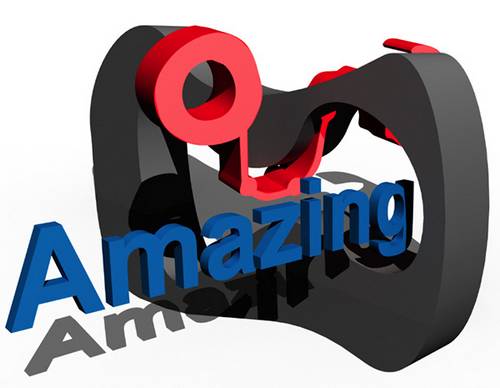
Create Custom 3D Models in Photoshop CS6 Extended

How to Create Basic 3D Models in Photoshop CS6 Extended

How to Create Basic 3D Models in Photoshop CS6 Extended

Create a Syfy Inspired Logo Animation in Photoshop CS6

Create a Syfy Inspired Logo Animation in Photoshop CS6

Create a 3D, Chrome, Logo Animation With Sound FX Using Photoshop CS6 Extended
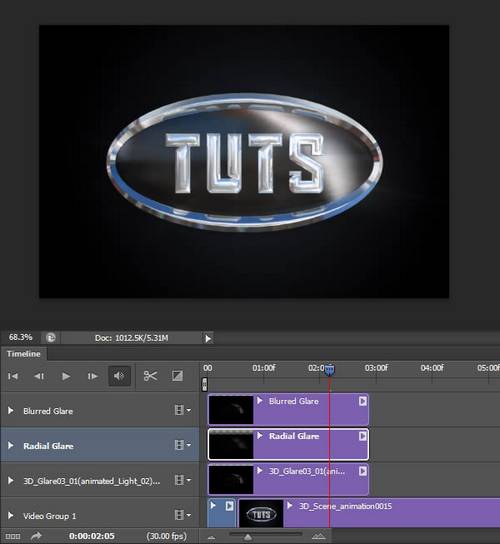
Create a 3D, Chrome, Logo Animation With Sound FX Using Photoshop CS6 Extended

Create a Chocolate Volcano Using 3D Effects

Create a Chocolate Volcano Using 3D Effects

Playing With 3D In Photoshop CS6

Playing With 3D In Photoshop CS6

reating a 3D scene in Adobe Photoshop CS6 Extended

reating a 3D scene in Adobe Photoshop CS6 Extended

3D Texture Mapping in Photoshop CS6

3D Texture Mapping in Photoshop CS6

Royal 3D Text Effect in Photoshop CS6

Royal 3D Text Effect in Photoshop CS6

La 3D avec Photoshop cs6
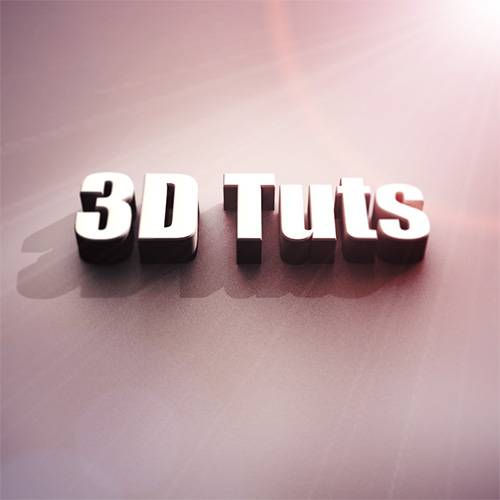
La 3D avec Photoshop cs6

Designing 3D NOS Icon in Photoshop

Designing 3D NOS Icon in Photoshop

Create an Autumn-Themed 3D Text Effect With Photoshop CS6 Extended

Create an Autumn-Themed 3D Text Effect With Photoshop CS6 Extended

Vintage 3D Text Effect in Photoshop CS6

Vintage 3D Text Effect in Photoshop CS6

Old Signage In Photoshop 3D

Old Signage In Photoshop 3D

how to create a 3D brick typography in Photoshop

how to create a 3D brick typography in Photoshop

Filed Under: Tutorial Tagged With: 3d photoshop, 3d photoshop cs6 tutorials, 3d photoshop tutorials, photoshop, Tutorials

About Rupesh Kumar

Rupesh Kumar founded Best Free Web Resources in 2010 and edits the site. He writes about free web resources, web development and running open AI models locally. Learn more: About BFWR & our editorial standards → · Follow on X (@bestfreewebres) →

Primary Sidebar

⚡ FREE INTERACTIVE TOOLS

Local AI Hardware & VRAM Matrix

Benchmark your PC or Mac for local AI, calculate VRAM requirements, and compare cloud API costs vs local hardware ROI.

🚀 New here? Start with Local LLMs → 💻 Hardware Matrix (79 Devices) → 📚 Local LLM Directory (30 Models) → 🎮 AI GPU Comparison → ⚡ VRAM & KV Cache Calculator → 💰 API Pricing & Break-Even → 🍎 Mac VRAM Unlocker (90% Boost) →
📦 Ollama 🖥️ LM Studio ⚙️ llama.cpp 🚦 vLLM 💬 Open WebUI 🎨 ComfyUI 🔒 Self-Hosted 📊 VRAM Tiers 🎯 Recommender ⚖️ Comparisons

Search

  • Facebook
  • Instagram
  • RSS
  • Twitter
  • YouTube

Footer

Latest Guides

  • Stability Matrix: One Installer for ComfyUI, Forge and InvokeAI
  • Hunyuan3D 2.1 in ComfyUI: Local 3D Generation, VRAM and the Licence Catch
  • Cline With a Local Model: Ollama and LM Studio Setup, Context and Permissions
  • NVIDIA Nemotron 3.5 Locally: Which Model Fits Your GPU
  • OpenClaw vs Hermes Agent: Which Personal AI Agent for a Local Model
  • Hermes Agent With Ollama: Running Nous Research’s Agent on Local Models

AI Tools & Calculators

  • What can I run?
  • VRAM Calculator
  • GGUF Size Calculator
  • Fine-tuning VRAM
  • LoRA Training VRAM
  • Image Generation VRAM
  • Mac VRAM Optimizer

Browse & Compare

  • Models Directory (30 models)
  • Hardware Matrix (79 devices)
  • Image Models
  • Model Licences
  • Comparisons
  • Model Recommender
  • API Pricing & ROI

Guides & Resources

  • Technology
  • Coding
  • Tutorials
  • Freebies
  • Graphics

Copyright © 2026 · Best Free Web Resources · All Rights Reserved.  |  About · Privacy Policy · Contact · AI Tools Hub