
Twitter is one of the leading social platforms. And, if you a twitter user then there are chances that you are looking for a twitter list manager that can help you manage the feeds and categorize them for better management. The list or followers are hard to handle because of the volume of the feeds and followers one can have. Organizing twitter feeds can keep you organized and in turn let your use twitter more effectively.
Today, we will go through some of the major Twitter List Manager. These Twitter list managers are easy to use and really improve your experience with Twitter and its ecosystem. The twitter popularity has us to have lots of followers and followed people. We may not want to see some updates and it takes a lot of time to manually make the lists or even unfollow people. Looking for a powerful, yet easy to use Twitter unfollow tool? These Twitter unfollow tools can help.
Let’s start our list of Twitter List Managers.
1. The Easiest and Safest Way to manage your Twitter List via Circleboom

Here I want to share with you the unique Twitter list management feature on Circleboom. Circleboom is my favorite one and the safest one. You can create Twitter lists in bulk with the Circleboom Twitter list management feature.
The good facilities “select all” and “create a new Twitter list / add to existing Twitter list ” lets you create your impressive following list, which makes you more efficient, and saves enormous time.
That’s why one of the famous technical evangelists and blogger Robert Scoble.
use Circleboom for his Twitter account to manage Twitter lists , check his tweet here: https://twitter.com/Scobleizer/status/1218230025607995392
Additionally, Circleboom is a fully Twitter management tool that enables you to grow and strengthen your Twitter account. Try Circleboom Twitter management now.
2. Twitlist Manager

Twitlist Manager is one of those impressive twitter list managers that can make your twitter listing experience a pleasure. The Twitlist offers tons of features after your sign into your Twitter account.
The app organizes the contacts in a giant spreadsheet and you can easily add a contact to a category by ticking the checkbox. Similarly, you can take off the followers from a list with the help of a single click. All the changes can be saved using the save button that is located at the bottom of the web page.
The only drawback of the Twitlist is the notion of scrolling down and up to manage more users. It can become a tiresome experience and I would love them to make everything manageable from the single page without scrolling or minimal scrolling.
3. TweetBe.at
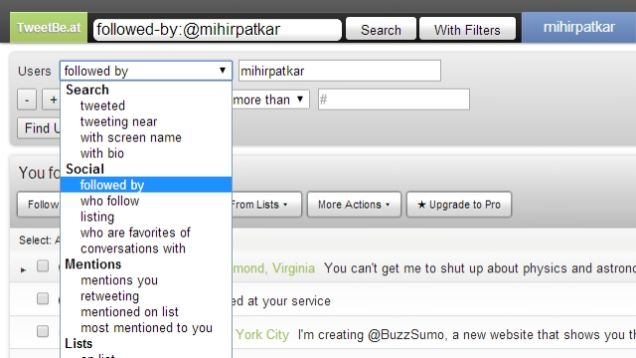
A great alternative for users that are looking for a nice user-interface to manage their twitter list. TweetBe is a grand success in the application in churning user information. With the information, you can easily break down the different aspects of the tweets. You can also know the devices background(from which the tweet has been made).
TweetBe comes at a cost and is available for only $14.99. You can download the application and use it for three days before it expires and you need to get the pro version.
4. Icotile
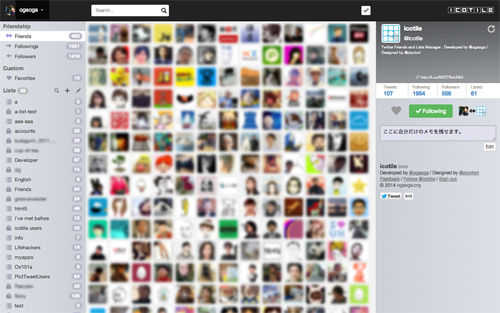
Images are much better than text. Do you concur to the thought? Well, if you do then you have found the best twitter list manager for yourself. Icotile uses images to list all the users in the window. You can drag and drop the image icons to the list created on the left bar of the application.
This way, listing becomes easy and a large number of users can be managed from the single window.
5. TwitterDeck

TwitterDeck is a great organizing tool used for Twitter related jobs. You can schedule tweets with images or can organize, share or create tweets. The app uses card based system.
It also offers drag and drop columns in the sidebar.
Wrap Up
Twitter is essential for many of us and with these twitter list managers, life becomes easier. The most amazing of them is the Twitlist Manager.
So, what is your favorite? Comment below and let us know.
Work out what your hardware can actually run
Free calculators and directories, sized from real model weights — before you download gigabytes or order a card: