• Skip to main content
  • Skip to secondary menu
  • Skip to primary sidebar
  • Skip to footer
Best Free Web Resources — local AI tools and hardware guides

Best Free Web Resources

Local AI Tools & Digital Engineering Resources

What can I run?
  • AI Tools
    • Start: Local LLMs
    • Ollama Models & VRAM
    • LM Studio Models
    • GPU Comparison
    • AI Hardware Matrix
    • Local LLM Directory
    • VRAM Calculator
    • Hardware Compare
    • Local Model Recommender
    • API Pricing & ROI
  • Local AI Guides
  • Web Resources
    • Inspiration
    • Photography
    • Games
    • SEO
    • Tutorial
      • Coding
      • WordPress
    • Resume/CV
    • Graphics
      • Logo
    • Freebies

5 Sports Photography Tips For Beginners

June 3, 2020 by Rupesh Kumar

For all the sports fans out here, capturing a photograph that comprises its main composition of the thrilling action is not everyone’s cup of tea. Since the games are in continuous motion, it is really tough to get the perfect click at a single shot. You may click a lot of snaps and end up getting just a couple of near-perfect shots. However, with a bit more patience, you are sure to get the perfect snap. Maybe it won’t happen at once, but it would eventually happen if you are sincere about what you are doing and is consistent in your approach.
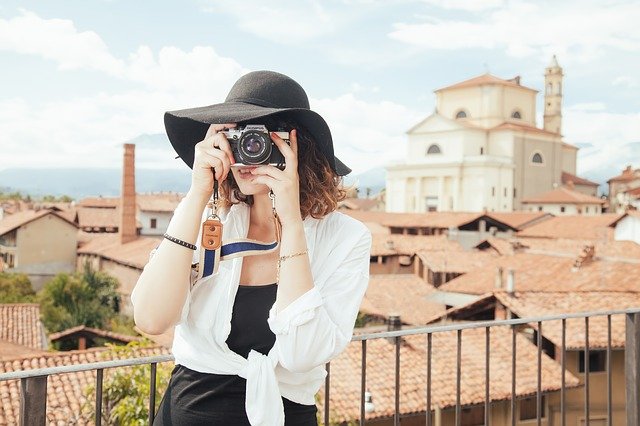
Photography

Be it football, soccer, cricket, or rugby, it looks really great to see all the players together on the field. However, getting a click similar to the ones that are in the magazine covers and newspapers isn’t easy. Here are a few tips for the beginners to help them out in their dealing with sports’ photography:

· Carry a Digital SLR:
To get the best shots, it is important to have a Digital SLR along with you. If not, you may also get a camera with a good shutter speed, which is essential to capture snaps that are in motion.

· Take permission:
If you have not done it yet, make sure that you do it! This is important to make sure that you are not stuck in a messy circumstance later on. Once you have taken the permission from the sports authority out there, get started!

· Lens with a zoom range of at least 200 mm:
If you want to get close to the action and get a shot that looks real and alluring, you should either carry a lens of 200 mm, which will help you fetch the right shot without having to zoom in.

· Great shutter speed:
The fascinating thing about sports photography is being able to capture the athletes in action. Using great shutter speed will help you do so at ease! Make sure that the shutter speed of your camera is at least 1/500th of a second, and that will allow you to freeze the movements.

· Put on the Aperture Priority mode:
The aperture, also known as the f/stop number. Setting it on will help you determine the amount of light that you allow to get in the camera sensor.

Filed Under: Photography

About Rupesh Kumar

Rupesh Kumar founded Best Free Web Resources in 2010 and edits the site. He writes about free web resources, web development and running open AI models locally. Learn more: About BFWR & our editorial standards → · Follow on X (@bestfreewebres) →

Primary Sidebar

⚡ FREE INTERACTIVE TOOLS

Local AI Hardware & VRAM Matrix

Benchmark your PC or Mac for local AI, calculate VRAM requirements, and compare cloud API costs vs local hardware ROI.

🚀 New here? Start with Local LLMs → 💻 Hardware Matrix (79 Devices) → 📚 Local LLM Directory (30 Models) → 🎮 AI GPU Comparison → ⚡ VRAM & KV Cache Calculator → 💰 API Pricing & Break-Even → 🍎 Mac VRAM Unlocker (90% Boost) →
📦 Ollama 🖥️ LM Studio ⚙️ llama.cpp 🚦 vLLM 💬 Open WebUI 🎨 ComfyUI 🔒 Self-Hosted 📊 VRAM Tiers 🎯 Recommender ⚖️ Comparisons

Search

  • Facebook
  • Instagram
  • RSS
  • Twitter
  • YouTube

Footer

Latest Guides

  • SwarmUI in 2026: Setup, Models and When to Use It Instead of ComfyUI
  • Stability Matrix: One Installer for ComfyUI, Forge and InvokeAI
  • Hunyuan3D 2.1 in ComfyUI: Local 3D Generation, VRAM and the Licence Catch
  • Cline With a Local Model: Ollama and LM Studio Setup, Context and Permissions
  • NVIDIA Nemotron 3.5 Locally: Which Model Fits Your GPU
  • OpenClaw vs Hermes Agent: Which Personal AI Agent for a Local Model

AI Tools & Calculators

  • What can I run?
  • VRAM Calculator
  • GGUF Size Calculator
  • Fine-tuning VRAM
  • LoRA Training VRAM
  • Image Generation VRAM
  • Mac VRAM Optimizer

Browse & Compare

  • Models Directory (30 models)
  • Hardware Matrix (79 devices)
  • Image Models
  • Model Licences
  • Comparisons
  • Model Recommender
  • API Pricing & ROI

Guides & Resources

  • Technology
  • Coding
  • Tutorials
  • Freebies
  • Graphics

Copyright © 2026 · Best Free Web Resources · All Rights Reserved.  |  About · Privacy Policy · Contact · AI Tools Hub