
As a business owner, you need to constantly pull in different directions to market your business. But you must know where to spend most of your time. The obvious answer is the tasks that bring you the best return must get most of your time. And creating and publishing video testimonials is one of those tasks. In fact, creating video testimonials is near the top of the list.
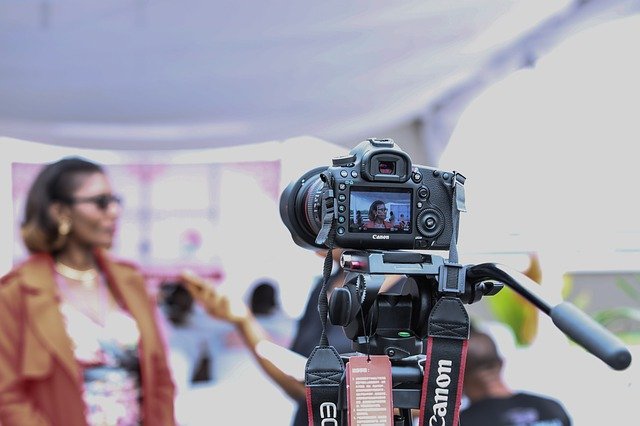
You can use your video testimonials on your website, social media platforms, and across your YouTube channel as they are unique. They can flawlessly covey the words of mouth coming from your satisfied customers and build better credibility for your brand.
But deciding on creating video testimonials is not enough. You have to plan for it so that it works as a tool to grow your business. Poorly created video testimonials can be destructive. Additionally, if you don’t know how much you must spend on creating video testimonials, you might end up spending a fortune.
Here We Will Tell You How To Save Money While Creating Video Testimonials
Video testimonials are essential. But that not necessarily means that you have to spend all your marketing budget creating video testimonials. You also don’t need to become a multinational corporation to be able to make video testimonials.
Many companies prefer hiring professionals who possess resources and equipment to create video testimonials for their companies. They hire video editors and graphic designers to make the content shareable.
But hiring a professional to create video testimonials is another big undertaking you need to consider. You have to mindfully choose someone who has enough experience and can make the testimonials within your budget. Unfortunately, good video editors are expensive, and those who are ready to work in your budget don’t have enough portfolios to display.
Additionally, when you work with a professional to create your video testimonials, it takes a lot of time in the creation-confirmation-creation cycle. And at the end, you can make only one video testimonial that’s worth sharing, but it leaves you exhausted.
Then What Is The Way Out?
Using video testimonial applications is a great alternative to save money while producing your video testimonials. You can work comfortably with those applications. If you compare the money you spend on those applications, it’s nothing compared to what you pay to a professional video editor.
All you need to do is have a solid camera (you can also use your phone camera) and lighting setup, and you are all set to record your video testimonials through the applications. Here is good news for you. There are many rental options available to get a camera and lighting setup without breaking the bank.
Though you have to put in some time to prepare the script and edit a bit, in the end, you will have a great video testimonial to share.
If you are wondering what video testimonial software to use, give Pro Testimonial software a try. Once you start working with the software, you will never turn towards any other service provider. Furthermore, who knows, you might also become a professional video testimonial maker with time and practice.
What are you waiting for? Get started if you have the three most important things: a satisfied customer, a story, and a camera.