
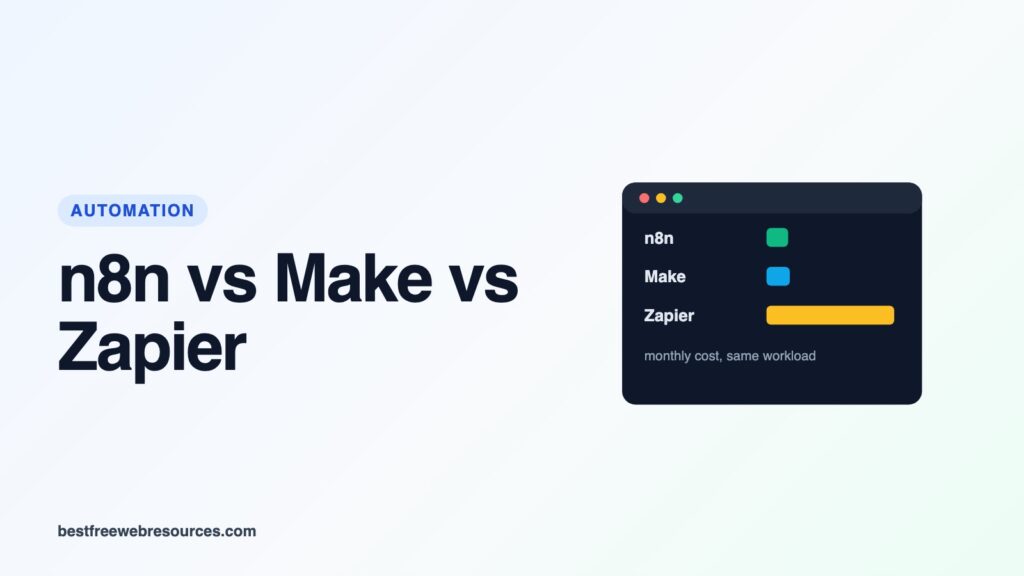
n8n, Make and Zapier all connect your apps and run automated workflows, and all three have a free tier and paid plans from about $10 to $30 a month. The plans are not comparable at face value, though, because each one counts usage in a different unit. The same workflow can use 1 unit on n8n, 6 on Make and 5 on Zapier.
This guide explains what each one bills for, then prices five common workloads on all three using the prices on their own pricing pages, read on 18 October 2026. The calculation is ours and the method is shown, so you can redo it with your own numbers.
Quick answer
- n8n charges per workflow run, regardless of how many steps it has. It is the cheapest of the three for long workflows, and the self-hosted Community Edition costs nothing in licence fees.
- Make charges per step (it calls them credits). It is the cheapest for small and medium volumes of short workflows, and its free plan covers light use.
- Zapier charges per action, but not for triggers, filters or formatting steps. It lists the most app integrations, and above the very smallest workloads it was the most expensive of the three in every case we priced.
- At 5,000 runs a month of an 8-step workflow, on annual billing: n8n Cloud €50, Make $53, Zapier $289.
What each one counts
| n8n | Make | Zapier | |
|---|---|---|---|
| Billing unit | Execution | Credit | Task |
| What uses one | One full run of a workflow | Each module action, including the trigger reading data | Each successful action step |
| Not counted | Steps within a run | Routers and error handlers | Triggers and polling, Filter, Formatter, Paths, Delay and other built-in tools |
| A trigger + 4 actions, run once | 1 | 5 | 4 |
n8n says an execution “is a single run of your entire workflow. It doesn’t matter how many steps are in the workflow or how much data it processes.”
Make moved from operations to credits on 27 August 2025: “Each action your scenario performs consumes a certain number of credits – most actions consume 1 credit.” Its pricing FAQ lists what counts, including reading data “from an app or webhook”, searching, creating, updating and deleting, transforming and iterating, and names the exceptions: error handler modules and the router. Some AI features “may use more”. Iterating counts too, so a step that runs once per row spends a credit per row; Make’s FAQ says one run can use “anywhere from two credits to thousands of credits”.
Zapier: “Each successful action in a Zap counts as a separate task”, and it “never charges you a task to check for new data”. Its built-in tools, including Filter, Formatter, Paths, Delay and Looping, are listed as not counting as tasks.
The price lists
Prices per month as each pricing page showed them on 18 October 2026, for monthly billing and, in brackets, the monthly cost when billed annually. n8n shows prices in euros; Make and Zapier in US dollars.
| n8n Cloud | Executions | Price |
|---|---|---|
| Starter | 2,500 | €24 (€20) |
| Pro | 10,000 | €60 (€50) |
| Pro | 50,000 | €144 (€120) |
| Business (self-hosted only) | 40,000 | €800 (€667) |
| Community Edition (self-hosted) | Unlimited | Free |
| Make | Credits | Price |
|---|---|---|
| Free | 1,000 | $0 (15-minute minimum interval) |
| Make Plan | 5,000 | $10.59 ($9) |
| Make Plan | 10,000 | $18.82 ($16) |
| Make Plan | 20,000 | $34.12 ($29) |
| Make Plan | 40,000 | $62.35 ($53) |
| Make Plan | 80,000 | $107.06 ($91) |
| Make Plan | 150,000 | $180.53 ($153.45) |
| Zapier | Tasks | Professional | Team |
|---|---|---|---|
| Free | 100 | $0 (two-step Zaps only) | – |
| 750 | $29.99 ($19.99) | – | |
| 2,000 | $73.50 ($49) | $103.50 ($69) | |
| 5,000 | $133.50 ($89) | $178.50 ($119) | |
| 10,000 | $193.50 ($129) | $253.50 ($169) | |
| 20,000 | $283.50 ($189) | $373.50 ($249) | |
| 50,000 | $433.50 ($289) | $598.50 ($399) | |
| 100,000 | $733.50 ($489) | $898.50 ($599) |
Make now has a single paid plan, the Make Plan, sized by credits; the slider goes up to just under 8 million credits a month before switching to Enterprise. Zapier’s Team plan adds 25 users, shared Zaps and connections, and SAML single sign-on. All n8n plans include unlimited users.
Five workloads, priced
We counted each workflow as one trigger plus actions, with every step running once per run (no loops), then picked the smallest tier on each service that covers the month. Prices are monthly billing, with annual billing in brackets.
| Workload | n8n Cloud | Make | Zapier Professional |
|---|---|---|---|
| Daily report: 5 steps, once a day (30 runs) | €24 (€20) | Free (150 credits) | $29.99 ($19.99) |
| Form to CRM: 4 steps, 500 runs | €24 (€20) | $10.59 ($9) | $58.50 ($39) |
| Lead routing: 6 steps, 2,000 runs | €24 (€20) | $34.12 ($29) | $193.50 ($129) |
| Order sync: 8 steps, 5,000 runs | €60 (€50) | $62.35 ($53) | $433.50 ($289) |
| Every 5 minutes: 3 steps, about 8,900 runs | €60 (€50) | $62.35 ($53) | $283.50 ($189) |
The units behind those prices: the lead-routing workflow is 2,000 executions on n8n, 12,000 credits on Make and 10,000 tasks on Zapier. The order sync is 5,000 executions, 40,000 credits and 35,000 tasks. That is the whole story of this comparison. The more steps your workflows have, the more n8n’s per-run pricing pulls ahead, and Zapier’s per-action pricing costs the most from 500 runs a month upwards, even though it does not charge for the trigger. For the single daily workflow, Zapier and n8n come out about level on annual billing. The 8,900-run row is n8n’s own example: a workflow every 5 minutes “would result in about 8,600–8,900 executions” a month.
Two things this table does not capture. First, filters and formatting steps are free on Zapier but count as credits on Make (Make’s FAQ includes transforming data), so a Zapier workflow heavy on those narrows the gap slightly. Second, a step repeated in a loop is billed each time on Make, and each repeated action is a task on Zapier, while n8n still counts the whole run as one execution.
What happens when you go over
- Zapier switches you to pay-per-task billing if you have it turned on, which “is charged at a higher per-task rate than your base subscription tasks”. If it is off, your Zaps pause until the next usage period.
- Make: “Your scenarios won’t continue to run, until credits are added again.” You can buy extra credits or move up a tier.
- n8n Business and Enterprise: “your workflows will continue running without interruption, but overage charges may apply”. For Business, n8n gives the overage price as “4,000 EUR for extra buckets of 300,000 executions”.
Self-hosting n8n
n8n is the only one of the three you can run on your own server. Its Community Edition is on GitHub and has no execution limit or licence fee; you pay for the server and your own time. Two catches. The licence is not open source in the usual sense: n8n’s Sustainable Use License allows use “for your own internal business purposes or for non-commercial or personal use”, and our guide to self-hosting n8n covers what that rules out, such as hosting n8n for others and charging them. And n8n’s paid self-hosted Business plan is priced per execution too, at €667 a month billed annually for 40,000, so the free route is the Community Edition specifically.
Self-hosting also lets you connect n8n to a model running on your own machine, such as one served by Ollama, so prompts and documents never leave your network. If you go that way, our guide to running Ollama as a server covers keeping it off the open internet, and our local LLM security guide covers why an agent with access to your accounts needs limits.
Beyond price
- App coverage: Zapier says it “connects to 9,000+ apps”. Make’s free plan lists “3,500+ apps”. n8n includes “every integration” on all plans and can make custom HTTP and GraphQL requests to any API.
- Ease of use: Zapier is built for people who do not code. n8n lets you add JavaScript or Python steps and is aimed at more technical users. Make sits between them with a visual builder.
- Users: n8n plans include unlimited users. Zapier’s Team plan includes 25.
Which to choose
- A few simple automations: Make’s free plan, if a 15-minute minimum interval is acceptable. Zapier’s free plan is limited to two-step Zaps.
- Many short workflows at low volume: Make is the cheapest hosted option.
- Long workflows or high volume: n8n, because a 20-step workflow costs the same as a 2-step one.
- A non-technical team that needs a particular app: Zapier, and budget for it.
- Data that must stay on your own servers: self-hosted n8n, within its licence.
FAQ
Is n8n cheaper than Zapier?
For a single daily workflow they cost about the same. For every larger workload we priced, n8n Cloud was cheaper, by about half for 500 runs of a 4-step workflow and by more than 80% for 5,000 runs of an 8-step one (comparing annual billing, and treating euros and dollars as roughly equal). The difference grows with the number of steps.
Is Make cheaper than Zapier?
Yes, at every volume we priced: for example $29 against $129 a month (annual billing) for 2,000 runs of a 6-step workflow.
Does Zapier charge for triggers?
No. Zapier says it “never charges you a task to check for new data”, only for successful actions.
Is self-hosted n8n really free?
The Community Edition has no licence fee or execution limit, within the Sustainable Use License’s terms. You still pay for hosting.
Related guides
- Self-hosting n8n with local AI: setup and licence
- LiteLLM and its alternatives, for one endpoint in front of several models
- Self-hosted AI and AI API pricing calculator
Sources
- n8n pricing (plans, execution definition and FAQ)
- Make pricing (credit slider and FAQ)
- Zapier pricing (task tiers and FAQ)
- n8n Sustainable Use License
Updated 18 October 2026. All prices were read from the vendors’ pricing pages on that date and change often; the workload costs are our calculation from those prices.
Work out what your hardware can actually run
Free calculators and directories, sized from real model weights — before you download gigabytes or order a card:
