
If you have a graphics card with 8 to 16GB of memory and want one general-purpose local model, two releases from 2026 are the obvious candidates: Google’s Gemma 4 12B and Alibaba’s Qwen3.5 9B. Both are Apache 2.0, both read images as well as text, both have a 256K-token context window and a thinking mode, and both download in 6.6 to 8GB through Ollama.
They are built differently, though, and that changes which one suits your hardware. This comparison uses each model’s own configuration files and model card, plus our memory and speed estimates. BFWR has not run either model; estimates are labelled as such, and the benchmark scores are each vendor’s own.
Quick answer
- Qwen3.5 9B is smaller, so it should generate faster (about 30% by our bandwidth estimate) and needs less memory at short and medium context. It scores higher on Alibaba’s knowledge, reasoning and agent benchmarks, and supports 201 languages and dialects.
- Gemma 4 12B needs less memory at very long context (from about 128K tokens), scores higher on Google’s coding benchmark, and is the only one of the two that takes audio input.
- On an 8GB card, Qwen3.5 9B is the easier fit. On 12 to 16GB, either works, and the choice comes down to what you use it for.
Side by side
| Gemma 4 12B | Qwen3.5 9B | |
|---|---|---|
| Released on Hugging Face | 23 May 2026 | 27 February 2026 |
| Parameters (all weights) | 11.96B | 9.65B |
| Licence | Apache 2.0 | Apache 2.0 |
| Input | Text, image, audio | Text, image, video |
| Context | 256K | 256K native, extendable to about 1M |
| Languages | “35+ languages, pre-trained on 140+” | “201 languages and dialects” |
| Attention | 40 sliding-window layers + 8 global layers | 24 linear-attention (Gated DeltaNet) layers + 8 full-attention layers |
| Ollama default download | about 7.7-8.0GB (gemma4:12b) |
6.6GB (qwen3.5:9b) |
Two licence notes. Gemma 4 is the first Gemma generation under Apache 2.0; Gemma 3 used Google’s own Gemma terms. And Qwen3.5 9B remains Qwen’s newest model below 27B: the Qwen3.6 and Qwen3.8 releases since then have no small sizes.
Benchmarks, with a warning
Each vendor publishes scores, but they ran their own evaluations, with their own settings, and neither card includes the other model. Treat the numbers as each company’s claims, and do not read small gaps as meaningful.
| Benchmark | Gemma 4 12B (Google) | Qwen3.5 9B (Alibaba) |
|---|---|---|
| MMLU-Pro | 77.2% | 82.5 |
| GPQA Diamond | 78.8% | 81.7 |
| LiveCodeBench v6 | 72.0% | 65.6 |
| Tau2 agent benchmark | 69.0% | 79.1 |
| MMMU-Pro (vision) | 69.1% | 70.1 |
Even the shared names hide differences. Google reports Tau2 as an “average over 3” domains, while Alibaba says it followed the official setup “except for the airline domain”, where it applied fixes from another company’s system card. On the published numbers, Qwen leads on knowledge, science and agent tasks, Gemma on competitive coding, and the two are level on image understanding. Nous Research’s Mac guide for Hermes Agent recommends Qwen3.5-9B as a starting model. The larger Gemma 4 31B and 26B-A4B score well above the 12B on Google’s own table, if you have the memory for them.
Memory: the crossover at long context
The two models save memory in different ways, so which one is lighter depends on how much context you use.
- Qwen3.5 9B keeps a growing key-value cache on only 8 of its 32 layers. The other 24 use linear attention, which holds a fixed-size state (about 50MB here) no matter how long the conversation gets.
- Gemma 4 12B limits 40 of its 48 layers to a 1,024-token sliding window, so their cache stops growing almost at once. Its 8 global layers keep the full context, but with a single, wide key-value head each, which makes them cheap per token.
Our estimates, from each model’s config, at 4-bit with an FP16 cache and the 1.8GB engine allowance our VRAM calculator uses:
| Context | Gemma 4 12B: cache / total | Qwen3.5 9B: cache / total |
|---|---|---|
| 8K | 0.44 / 9.8 GB | 0.30 / 8.6 GB |
| 32K | 0.81 / 10.2 GB | 1.05 / 9.4 GB |
| 128K | 2.31 / 11.7 GB | 4.05 / 12.4 GB |
| 256K | 4.31 / 13.7 GB | 8.05 / 16.4 GB |
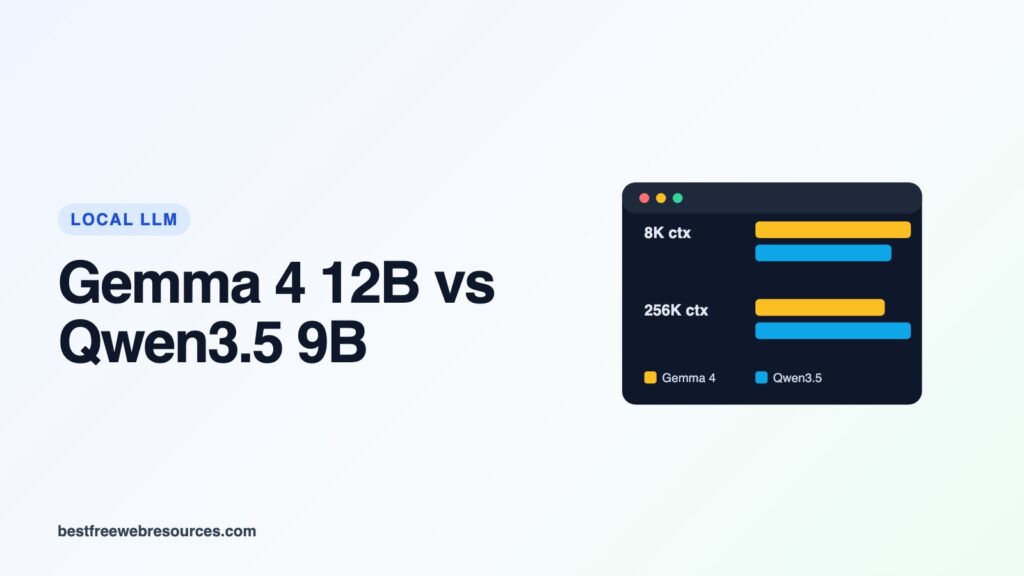
Up to 32K, Qwen3.5 9B is lighter because its weights are smaller. From about 128K, Gemma 4 12B is lighter because its cache grows half as fast. Quantizing the cache to 8-bit halves those cache figures; in Ollama that is OLLAMA_KV_CACHE_TYPE=q8_0. For Gemma we counted keys and values separately, which may overstate it slightly, since its config shares the key and value projection on the global layers.
One Qwen-specific point: its model card advises “maintaining a context length of at least 128K tokens to preserve thinking capabilities”. On our numbers, that puts Qwen3.5 9B at about 12.4GB, beyond an 8GB card and tight on 12GB. With thinking off, or on shorter tasks, a smaller context is fine.
While working on this comparison we found that our VRAM calculator had treated Gemma 4’s global layers like its sliding ones, overstating Gemma 4’s long-context memory. It has been corrected; our guide to context windows and VRAM explains how the cache is calculated.
Speed
Generating text is limited by how many bytes of weights the graphics card reads per token. Qwen3.5 9B’s 4-bit weights are 5.6GB against Gemma 4 12B’s 7.4GB, so on the same card Qwen’s ceiling is about 30% higher. Our estimates (bandwidth × 0.65 ÷ weights), for short prompts:
| Graphics card | Gemma 4 12B | Qwen3.5 9B |
|---|---|---|
| RTX 4060 8GB (272 GB/s) | ~24 tok/s | ~31 tok/s |
| RTX 3060 12GB (360 GB/s) | ~32 tok/s | ~42 tok/s |
| RTX 5060 Ti 16GB (448 GB/s) | ~40 tok/s | ~52 tok/s |
| RTX 4070 Super 12GB (504 GB/s) | ~44 tok/s | ~58 tok/s |
These are ceilings, not measurements; our guide to tokens per second explains the formula. Both models also ship ways to go faster. Ollama’s gemma4:12b download includes a 0.47GB draft layer, and Google publishes matching “assistant” drafter models: “the draft model predicts several tokens ahead, which the target model then verifies in parallel”. Google claims speedups of “up to 3x”. Ollama also lists qwen3.5:9b-mtp tags (9.0GB rather than 6.6GB); Qwen3.5’s config includes a multi-token prediction layer. How much either helps depends on the task and hardware, and we have no independent measurements to quote.
Running them
ollama run gemma4:12b
ollama run qwen3.5:9b
The two handle thinking differently. Qwen’s card says “Qwen3.5 models operate in thinking mode by default”, while Gemma 4’s card turns thinking on with a token in the system prompt. Ollama’s documentation says thinking defaults vary by model, and lets you set think to true or false per request. For quick answers from Qwen, turn it off. Google also publishes a quantization-aware-trained (QAT) 4-bit GGUF of Gemma 4 12B, 6.98GB, which it says allows “preserving similar quality to bfloat16”; Ollama offers it as gemma4:12b-it-qat.
Both carry the tools label on Ollama, so they work with coding agents such as OpenCode, though at this size expect them to handle smaller tasks than a 27B model would. Our OpenCode guide covers the setup, and our list of the best local LLMs for coding compares larger options.
Which to choose
- 8GB graphics card: Qwen3.5 9B. It leaves more room for context, and its weights download at 5.6GB plus a 0.9GB image encoder.
- Chat, writing, multilingual use and agents on 12-16GB: Qwen3.5 9B, on Alibaba’s scores and its speed advantage.
- Coding questions, audio transcription, or very long documents: Gemma 4 12B.
- If you have 24GB: look past both to a 27B to 31B model; see our Qwen3.8 27B guide.
FAQ
Is Qwen3.5 9B better than Gemma 4 12B?
On Alibaba’s published scores it leads on knowledge, reasoning and agent benchmarks; Gemma 4 12B leads on Google’s coding benchmark. The vendors tested differently, so neither result is conclusive. Qwen is smaller and should be faster.
Can Gemma 4 12B run on 8GB of VRAM?
Its weights alone are about 7.4GB at 4-bit, so on an 8GB card part of the model will spill into system memory and slow down. Qwen3.5 9B is the better fit for 8GB.
Are both free for commercial use?
Yes, both are Apache 2.0.
Which has the longer context?
Both have 256K natively. Qwen3.5 can be extended to about a million tokens, and Gemma 4 12B uses less memory at long context.
Related guides and tools
- Gemma 4 12B: VRAM and hardware fit
- Best LLMs for 12GB of VRAM and 8GB
- How much RAM and VRAM you need for local LLMs
- llmfit
Sources
- google/gemma-4-12B-it model card and config
- Qwen/Qwen3.5-9B model card and config
- Ollama: gemma4 tags and qwen3.5 tags
- Gemma 4 12B QAT GGUF
Updated 18 October 2026. Model details were read from the vendors’ configs and cards on that date. Memory and speed figures are estimates; benchmark scores are as each vendor reports them.
Work out what your hardware can actually run
Free calculators and directories, sized from real model weights — before you download gigabytes or order a card:
