
Alright, I confess, I always find the websites, I visit, lack one basic thing — a community driven chatting option. But, today, I will go forward and review CometChat, the only thing that you might be missing from your website.

Building a website is an exhilarating experience, keeping in mind the struggle one has to go through. But, many of us forget to build a community surrounding the website content. To make it work out of the box, CometChat seems to be a powerful option. Or, is it? Let’s find out.
CometChat Review: The Chat That Changes Things
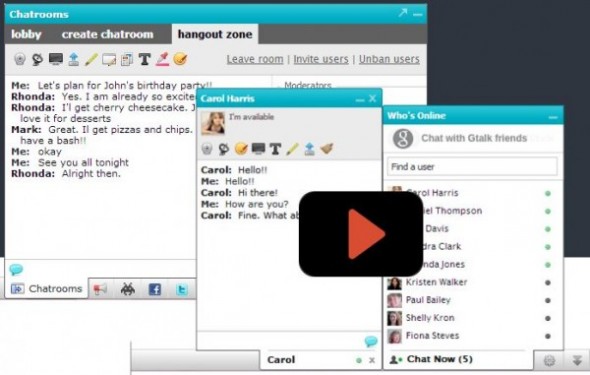
So, what exactly is CometChat? CometChat is a full blown community drive chatting system that anyone can implement on their website. With the help of CometChat, users can easily create private chat boxes, share files, play games, share screens and much more.
In short, the users find a playground to open themselves up to the other community members.
CometChat is a fully featured app. And, it offers tons of features. For now, we will go through the main features and list few of its secondary features that are of less importance.
CometChat Features
One-on-One Chat: How many times, you wanted to share your views to another member of the website or wanted a help on a certain aspect of your problem, and could not? With one-on-one chat option, you can easily start a chat with anyone who is visiting the website at the same time.
User Experience: The chatting system not only focuses on the creating chat sessions but also improving them to a great extent. It features smileys, avatar support, notifications, who’s online, status and much more.
It supports both audio and video calls for better user experience. Chatting can easily slow down interaction and if you think in a similar way, then this feature is for you.
Social Network Integration: Want to talk with someone on Gtalk. CometChat helps you achieve it with the nifty ‘Chat with Gtalk‘ button.
Expand More With Chatrooms: Sometimes, chatting with one person is not enough. Chatrooms are made for the sole purpose of group interaction and discussion. The chat rooms can be created public or private and the maker has all the admin privileges to moderate the chatroom for a better experience. Few of the admin powers include banning or unbanning members, kicking offenders, deleting conversations and much more.
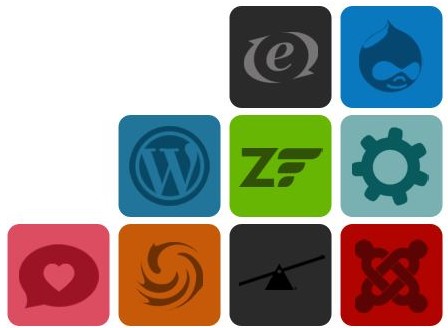
Support For Almost Every Platform Out There: Using WordPress or CakePHP or Zend, CometChat doesn’t care. It can be installed on a plethora of platforms. For plugin supported platforms such as WordPress, integration is simple. For more complex platforms, integration requires a bit of code knowledge. Don’t worry as they have published a nifty installation guide to help everyone.
Proper Documentation: I always believe in one thing, a great software must have a great documentation, and CometChat doesn’t let me down a single bit. It offers great installation guide, administration manual, End User Manual and FAQs page.
Other Features Worth Noticing
There are many other features that are worth listing. Let’s list them below.
- Supports multiplayer games.
- Supports Whiteboard plugin for easy though sharing.
- Supports Push Notification to desktop or chrome browser.
- Supports all latest web browsers.
- It is easy to integrate.
And much more.
Wrapping Up
When it comes to improving user experience, I am sold. CometChat is a prime example of what a chatting system should be capable of. Getting CometChat is easy with a professional package costing only $129(one-time payment). They also offer premium and platinum packages for $249 and $499 only(both one-time payment). You can check the pricing page for more information.
You can also use CometService(optional) for powering the CometChat service. Check the page for more pricing information.
So, what you are thinking now? Creating a community is always a plus point for your website. Stop thinking, and get CometChat as fast as possible.
Check out the demo page for better understanding of what it is capable of.
Work out what your hardware can actually run
Free calculators and directories, sized from real model weights — before you download gigabytes or order a card: