
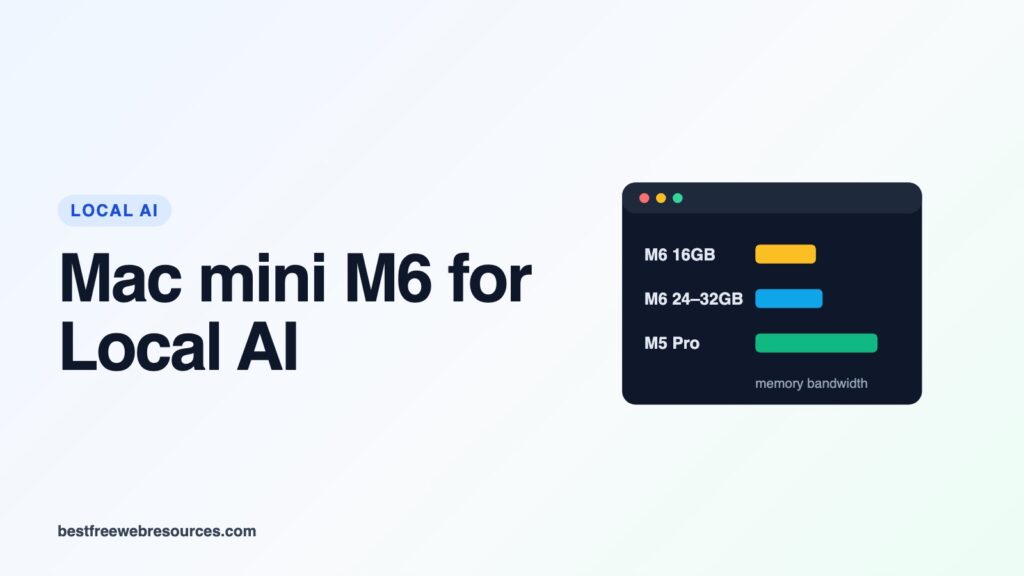
The 2026 Mac mini comes with an M6 or an M5 Pro chip, and Apple pitches both at local AI. Its product page says a Neural Accelerator in each GPU core “speeds up tasks like running on-device AI models”, and it names Ollama and LM Studio Bionic among the apps it is built for. If you want a small, quiet box for running language models at home, it is the obvious candidate.
The configurations differ more for local AI than for anything else you might do with the machine. Memory decides which models load at all. Memory bandwidth decides how fast they answer. On the M6, even the bandwidth depends on how much memory you buy. This guide works through each option with Apple’s published specifications and our own fit calculations.
Quick answer
- The $899 M6 with 16GB is the weakest choice for local AI. Apple’s spec page gives the 16GB models 153GB/s of memory bandwidth and the 24GB and 32GB models 170GB/s. The 16GB model also holds the same 11 of our 30 models as a 16GB M4.
- The best-value configuration is an M6 with 32GB ($1,299 with 256GB storage, $1,499 with 512GB). It fits 19 of 30 models, including mixture-of-experts models such as Gemma 4 26B-A4B, at an estimated 48 tokens per second.
- The M5 Pro is the faster chip, not the bigger one. At 24GB it fits the same 14 models as a 24GB M6, roughly 1.8x faster. It only pulls ahead on capacity at 48GB ($2,299) or 64GB ($2,699).
- Apple’s “Up to 4.8x faster than M4” figure is about prompt processing (time to first token), not about how fast an answer is written. On our estimates, generation speed rises with bandwidth: about 1.4x over the M4 at 32GB.
The configurations, with prices
The Mac mini comes in four standard models, and memory and storage are build-to-order upgrades. The bandwidth figures below are from Apple’s technical specifications page. Prices are US retail as of 14 October 2026: the standard models are read from Apple’s store, and the build-to-order prices are from AppleInsider’s price guide, which matches Apple on every standard model.
| Configuration | Memory bandwidth | US price |
|---|---|---|
| M6, 16GB, 256GB | 153GB/s | $899 |
| M6, 16GB, 512GB | 153GB/s | $1,099 |
| M6, 24GB, 256GB (build to order) | 170GB/s | $1,099 |
| M6, 24GB, 512GB | 170GB/s | $1,299 |
| M6, 32GB, 256GB (build to order) | 170GB/s | $1,299 |
| M6, 32GB, 512GB (build to order) | 170GB/s | $1,499 |
| M5 Pro 15-core CPU, 16-core GPU, 24GB, 512GB | 307GB/s | $1,699 |
| M5 Pro 15/16-core, 48GB, 512GB (build to order) | 307GB/s | $2,299 |
| M5 Pro 15/16-core, 64GB, 512GB (build to order) | 307GB/s | $2,699 |
| M5 Pro 18-core CPU, 20-core GPU, 64GB, 1TB | 307GB/s | $3,199 |
On the M6, each 8GB memory step costs $200. For local AI the line on Apple’s spec page that matters most is the one under the 16GB models: “Configurable to: 24GB or 32GB (170GB/s memory bandwidth)”. So the first memory upgrade buys both capacity and about 11% more bandwidth. Apple announced the new Mac mini on 25 August 2026.
What fits in each configuration
The table below runs the same fit calculation as our hardware matrix against all 30 models in the BFWR model directory, at 4-bit (Q4_K_M) quantization. macOS does not let the GPU use all of unified memory by default, so our calculators assume the GPU can use about two-thirds of it on machines with 36GB or less and three-quarters above that. The 2024 M4 and M4 Pro models are included for comparison.
| Configuration | GPU-usable memory (est.) | Models that fit (of 30) | 8B model, estimated tokens/sec |
|---|---|---|---|
| M4, 16GB (2024) | 10.7GB | 11 | ~16 |
| M6, 16GB | 10.7GB | 11 | ~20 |
| M6, 24GB | 16.1GB | 14 | ~23 |
| M6, 32GB | 21.4GB | 19 | ~23 |
| M4 Pro, 24GB (2024) | 16.1GB | 14 | ~36 |
| M5 Pro, 24GB | 16.1GB | 14 | ~41 |
| M5 Pro, 48GB | 36GB | 23 | ~41 |
| M5 Pro, 64GB | 48GB | 26 | ~41 |
Two things stand out. The M6 only adds models when memory goes up: at 16GB it holds exactly what the 16GB M4 did, just faster. And the M5 Pro at 24GB holds no more than the M6 at 24GB. Capacity is set by the memory you pay for, not by the chip.
Every speed here is an estimate from memory bandwidth (bandwidth × 0.65 ÷ the size of the weights read per token), not a measurement. Our article on tokens per second explains the formula and how closely it tracks published llama.cpp results on Apple Silicon.
Specific models, by configuration
| Model (4-bit) | M6 16GB | M6 24GB | M6 32GB | M5 Pro 24GB | M5 Pro 48GB |
|---|---|---|---|---|---|
| Qwen3 8B | ~20 t/s | ~23 t/s | ~23 t/s | ~41 t/s | ~41 t/s |
| Gemma 4 12B | ~14 t/s | ~15 t/s | ~15 t/s | ~28 t/s | ~28 t/s |
| gpt-oss-20b | Does not fit | ~42 t/s (tight) | ~47 t/s | ~76 t/s (tight) | ~84 t/s |
| Gemma 4 26B-A4B (MoE) | Does not fit | Does not fit | ~49 t/s | Does not fit | ~88 t/s |
| Qwen3-Coder 30B-A3B (MoE) | Does not fit | Does not fit | ~50 t/s (tight) | Does not fit | ~101 t/s |
| Qwen3.8 27B (dense) | Does not fit | Does not fit | ~7 t/s | Does not fit | ~12 t/s |
| Qwen3.6 35B-A3B (MoE) | Does not fit | Does not fit | Does not fit | Does not fit | ~111 t/s |
“Tight” means the weights load but leave little room for context, so keep conversations short and close memory-heavy apps. The mixture-of-experts rows explain why 32GB is the sweet spot. Gemma 4 26B-A4B and Qwen3-Coder 30B-A3B only read a few billion parameters for each token, so once they fit they run faster than a dense 12B model. A dense model such as Qwen3.8 27B also fits a 32GB M6, but at about 7 tokens per second it is slow. For that model see our Qwen3.8 27B guide.
What Apple’s “4.8x faster” claim measures
Apple’s Mac mini page says the M6 is “Up to 4.8x faster than M4”. The footnote describes the test: preproduction M6 and production M4 Mac minis, both with 32GB of memory, and “Time to first token measured with an 8K-token prompt using a 14-billion parameter model with 4-bit quantization, and LM Studio 0.4.18+1.”
Time to first token is prompt processing: the wait before the reply starts while the model reads your input. That work is limited by compute, and it is where the new Neural Accelerators help. It matters most when you paste in a long document or a large block of code. If the same long prompt repeats, as it does with coding agents, a server such as oMLX can keep it cached on disk and skip most of that wait. Writing the answer one token at a time is limited by memory bandwidth instead. On bandwidth alone, the 32GB M6 should generate about 1.4x faster than a 32GB M4 (170 against 120GB/s), and the 16GB M6 about 1.3x faster than a 16GB M4 (153 against 120GB/s).
Both effects are real, and they are different. If you mostly ask short questions, expect the smaller gain. If you feed in long files, Apple’s figure is the relevant one, measured on the 32GB configuration. The same split applies to Apple’s M5 Pro claim of “Up to 4x faster than M4 Pro”, which is also a time-to-first-token test.
M6 with 32GB, or M5 Pro with 24GB?
This is the decision most buyers face, because the two sit $200 to $400 apart. The 32GB M6 costs $1,299 with 256GB of storage or $1,499 with 512GB, and the 24GB M5 Pro costs $1,699 with 512GB.
- The M6 with 32GB holds more models: 19 of 30 against 14, including the two mixture-of-experts models above, which are among the most useful local models of 2026.
- The M5 Pro with 24GB is faster at everything they share: 307 against 170GB/s, or about 1.8x on generation, plus more CPU and GPU cores and Thunderbolt 5.
For local AI, buy capacity first. A model that does not load is no use however fast the chip is, and a quick small model is often a step down from a slower good one. If your budget reaches $2,299, the M5 Pro with 48GB gives you both: 23 of 30 models at M5 Pro speed. That is the configuration our best Mac for local LLMs guide recommends as the all-rounder.
Three practical details
Raise the GPU memory limit
The default GPU limit is why a 32GB Mac shows about 21GB of usable memory above. The mlx-lm documentation says a model that is large relative to RAM “can often be sped up by increasing the system wired memory limit”, using:
sudo sysctl iogpu.wired_limit_mb=NIt adds that N “should be larger than the size of the model in megabytes but smaller than the memory size of the machine”, and that wiring memory requires macOS 15 or later. Our Mac VRAM optimizer generates the command for your memory size. Leave enough memory for macOS: the setting resets on restart, and setting it too high starves the rest of the system.
Mind the 256GB drive
Model files are large. Gemma 4 31B is 18.8GB at 4-bit, and the 19 models that fit a 32GB M6 range from about 2GB to 19GB each. On a 256GB Mac mini that fills up quickly. Ollama stores models in ~/.ollama/models on macOS, and its FAQ says to “set the environment variable OLLAMA_MODELS to the chosen directory” to move them. If Ollama runs as the Mac app, set it with launchctl setenv and restart Ollama:
launchctl setenv OLLAMA_MODELS "/Volumes/External/ollama-models"An external drive can make loading a model slower, but once the model is in memory it generates at the same speed.
Clustering is an M5 Pro feature
Apple says the M5 Pro’s Thunderbolt 5 “lets you turn a stack of Mac mini devices into a cluster to run larger local AI models”. The M6 model has Thunderbolt 4 ports instead. If you might add a second machine later to run models too large for one, that points to the M5 Pro.
Which Mac mini should you buy for local AI?
- Trying local AI on a budget: M6 with 24GB and 256GB ($1,099). It costs the same as the 16GB model with 512GB, but it gets the faster memory and runs gpt-oss-20b.
- Best value: M6 with 32GB ($1,299 to $1,499). It fits 19 of 30 models, and the mixture-of-experts models run at an estimated 48 to 50 tokens per second.
- Fast and capable: M5 Pro with 48GB ($2,299). It fits 23 of 30 models at about 1.8x the M6’s speed.
- 70B models: M5 Pro with 64GB ($2,699). Llama 3.3 70B fits, but at about 5 tokens per second. For that class of model, a Mac Studio has far more bandwidth; see our Strix Halo vs M5 Max comparison.
- Avoid for local AI: M6 with 16GB. It has less bandwidth and holds no more models than a 16GB M4.
To check a particular model against your planned configuration, use our VRAM calculator. To see every model scored against the M6, open the Mac mini M6 32GB page in the hardware matrix. For the apps themselves, our local LLM runner comparison covers Ollama and LM Studio, and the LM Studio Bionic guide covers LM Studio’s agent app, which Apple names on the Mac mini page.
FAQ
Is the Mac mini M6 good for running local LLMs?
Yes, with 24GB or 32GB of memory. With 32GB it fits 19 of the 30 models in our directory at 4-bit, and it runs mixture-of-experts models at estimated speeds close to 50 tokens per second. The 16GB model is a weak choice for local AI, because it has less bandwidth (153GB/s) and holds the same models as a 16GB M4.
Does the 16GB Mac mini M6 have less memory bandwidth?
Yes. Apple’s technical specifications list 153GB/s for the 16GB models and 170GB/s for the 24GB and 32GB configurations.
How much faster is the M6 than the M4 for local AI?
It depends on the task. Apple measured up to 4.8x faster time to first token (prompt processing) with a 14B model and an 8K-token prompt, on 32GB machines. Generating the answer is limited by memory bandwidth, so on our estimates it is about 1.3x to 1.4x faster than the M4.
What is the largest model a Mac mini can run?
With the M5 Pro and 64GB of memory, models up to about 70B parameters fit at 4-bit, including Llama 3.3 70B and Qwen 2.5 72B, at an estimated 5 tokens per second. The M6 tops out at 32GB, where the largest models that fit are around 27B to 31B.
Should I buy more storage for local AI?
256GB works, but it fills up quickly once you keep several models. You can move Ollama’s model folder to an external SSD with OLLAMA_MODELS, which costs loading time but not generation speed.
Related guides
- Which models fit each Mac mini memory size: 16GB, 24GB, 32GB and 48GB
- Apple Silicon vs Snapdragon X for Local AI (2026)
- How to Increase VRAM in 2026
Sources
- Apple Newsroom: Apple unveils a more powerful Mac mini featuring the all-new M6 and M5 Pro (25 August 2026)
- Apple: Mac mini technical specifications (configurations, memory bandwidth by configuration, ports)
- Apple: Mac mini (AI claims and performance footnotes, including the time-to-first-token test)
- Apple Store: Buy Mac mini (standard configuration prices, 14 October 2026)
- AppleInsider: Mac mini M6, M5 Pro price guide (build-to-order retail prices)
- Ollama FAQ (model storage location,
OLLAMA_MODELS,launchctl setenv) - mlx-lm README (
iogpu.wired_limit_mb) - BFWR’s hardware matrix and model directory (fit and speed estimates)
Updated 14 October 2026. Prices and specifications checked that day. All speeds are estimates from memory bandwidth; BFWR does not run its own hardware tests.
Work out what your hardware can actually run
Free calculators and directories, sized from real model weights — before you download gigabytes or order a card:
