
Usually, people prefer to keep their social media pages looking good. It’s particularly significant for business when your activity impacts the audience’s engagement and feedback. Animated images for posts and stories are another advantage you can use to enhance the social media page’s performance. So why should you pay attention to the VistaCreate photo and video editor and how to use this online animation maker?
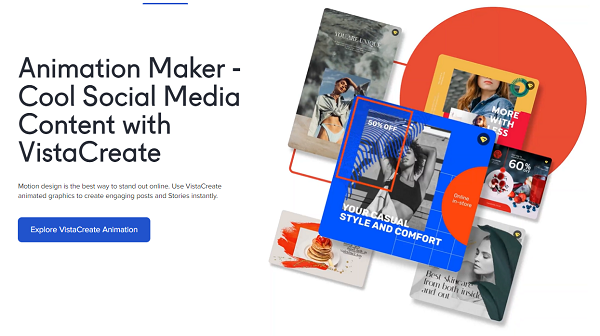
Why are animations an advantage?
Well-designed content is one of the crucial criteria that makes people follow you. Whether they are your customers, potential clientele, or fans — people appreciate beautiful design. You can reach it without animations or use app-integrated tools for minimum effort. However, these do not create the same impression as animations created with pro tools.
In creating the animated pictures for your posts, you can use the following advantages:
- People notice your posts in their feed. In difference to the multitude of the other posts they’re scrolling, yours with animation will attract attention.
- People start to think better about your brand. For example, if your animations differ from those made on Instagram, it creates a positive opinion. It means you have spent time and effort to create content of better quality.
- Using animation as an organizing element (for special offers, events, etc.), you can focus your audience’s attention on things you need. Thus, it’s easier to reach better performance and event attendance.
In fact, the list of benefits is much bigger, but only specific cases of use and individual requirements define them.
VistaCreate visual editor – benefits
To create good-looking animations, you can use professional tools for photo editors or something much simpler. VistaCreate is an editor that helps enhance your post design for any social media. In contrast to desktop editors, VistaCreate is much easier to use:
- a user-friendly interface allows to understand the functionality from first sight;
- rich libraries of templates, objects, fonts, and other elements offer considerable scope for fantasy and creativity;
- free features are enough to conduct most activities for your post formatting;
- automatic size setting with templates by social media releases you from the necessity to set it manually;
- you can use images in various ways depending on your purposes, as you can post the created pictures directly from the app or download them in diverse formats.
As you can see, VistaCreate provides ample room not only for animated images but for other types of content as well.
How to create an animated post for social media?
There’s nothing complicated in creating the animated picture. All you need to do is:
- Go to the website.
- Go to templates and choose “Animated Designs”.
- Scroll through or search.
- Select some favorites.
- Edit them for your post (remove or add elements and backgrounds).
- Post directly or choose the format for download.
In doing so, you can complete the tasks and have pleasure at the same time.
To generalize, VistaCreate helps you use all the advantages of animated posts with minimum effort and maximum pleasure. Moreover, the result won’t differ much from the animations created with pro tools. Try it yourself, and you’ll see!