
“A life worth living is a life worth recording”. Entrepreneur Jim Rohn might not have been thinking of Miami court reporters when he said that. Nevertheless, recording legal proceedings isn’t just necessary, it’s also the making of history. So, you’ll need the right devices that you can rely on.
5 Devices for Miami Court Reporters to Improve Efficiency
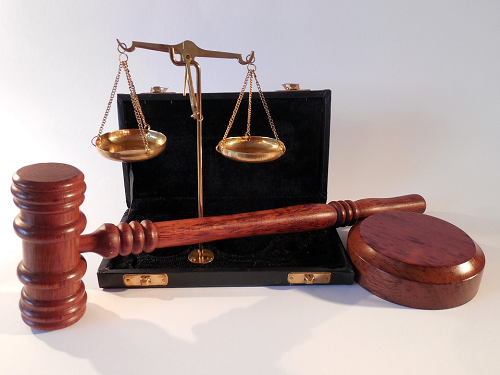
Miami court reporters are responsible for delivering accurate transcripts of legal proceedings within a short timeframe. They need the right equipment and software to do this efficiently.
Traditionally, reporters took shorthand notes with a stenograph. Whilst the steno writer is still an important part of the toolkit, there are now many more options to support Miami court reporters. Today, they also rely on backups and in many cases, real-time transcribing.
Miami court reporters develop their own suite of preferred devices. Although, in some cases, the courthouse or reporting firm they work with might also have a preferred approach. Either way, the following devices are some of the common ones reporters use.
1- Steno mask
This hand-held microphone was invented in Chicago around the 1940s. In those days, court reporters would dictate their shorthand notes after court proceedings to then get them typed up. The idea was to shortcut that step and dictate the notes as they were being witnessed in court.
Today, the steno mask connects to a laptop with voice-to-text software. This computer-aided-transcription (CAT) software translates the reporter’s words into a written document. Of course, Miami court reporters still have to do a final proofread and edit before submitting the final, certified transcript.
Nevertheless, the ‘steno mask and laptop’ combination allows for real-time transcriptions. This is particularly useful when lawyers want to refer back to earlier comments whilst still within the proceeding. In some cases, their computers also connect wirelessly so that they too can see the real-time transcript on their screens.
2- Zoom mute and unmute foot pedal
An interesting development within the video conferencing world is the foot pedal to control Zoom. This allows Miami court reporters to mute and unmute individual speakers with their feet so keeping their hands free. The main goal is to keep things as efficient as possible. So, a reporter can keep typing their notes whilst still controlling the Zoom video room.
3- Steno writer microphone
Another useful device for Miami court reporters is the microphone and steno writer combination. Essentially, the microphone takes in the audio so that your device automatically records everything spoken during the proceeding. At the same time, the reporter is free to keep transcribing their own shorthand notes.
There are many steno writers to choose from. Some even have an inbuilt microphone. In terms of brands, popular choices are often the Passport Touch or Luminex devices. Both are compatible with all CAT software so then it comes down to personal preference according to how adjustable the keys are or the size of the display.
4- Video deposition equipment
In some cases, Miami court reporters want the full range of options including audio and video. In that case, they’ll need recording devices along with a camera, microphones and monitors. All this equipment needs to be prepared ahead of time and also tested to avoid any delays during the court proceeding.
In some cases, Miami court reporters use their laptops as recording devices. This can simplify things but it also allows for a live stream to anyone outside the proceeding. The other advantage of video depositions is that recordings include body language. This can help the attorneys make their case because we communicate a lot through our bodies and overall presence.
5- Foldable laptop
It almost goes without saying that Miami court reporters need a powerful enough computer to cope with extra devices and sophisticated software. At the very basic, reporters need at least 16GB of RAM with, ideally, 512GB or 1TB storage in the SSD hard drive.
Whilst there are many different brands and laptops out there, the HP Envy 13 offers a unique approach. Not only does it have around 29 hours of battery life but it also converts into a tablet when you fold the keyboard backwards.
Other brands such as Dell and Elite also offer this convertible tablet option. This gives Miami court reporters versatility when it comes to showing other people specific points from a transcript, for example.

Final Thoughts on Unique Devices for Miami Court Reporters
It’s critical for Miami court reporters to feel confident in their devices. They have enough to focus on simply following the court proceeding without having to worry about technology. Whether they choose to have a steno mask or steno writer usually comes down to personal choice.
Although, requirements for real-time transcripts might come from the client. It all comes down to fine-tuning their art with the right devices. At the same time, reporters collaborate with clients and courthouses to accurately meet their needs and expectations. That’s how they perfect their craft and become the best in their field.
Work out what your hardware can actually run
Free calculators and directories, sized from real model weights — before you download gigabytes or order a card:
