
A TV undoubtedly provides excellent entertainment, be it from watching your favourite TV show, a live news broadcast, or catching up on the latest sports action. And because of the evolution of technology, some TVs come with many features such as large screens, surround sound, internet connectivity, and more that will give you a great viewing experience.
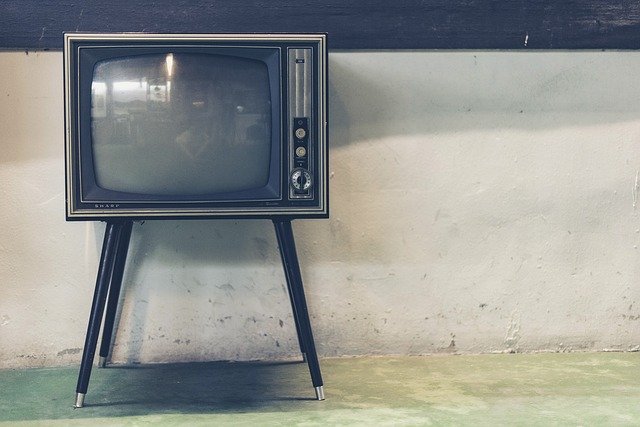
But the bigger and more advanced a TV is, the price tags go up as well. Fortunately, TV rental services is now available so you can get your hands on a premium TV and enjoy the benefits it provides.
Nowadays, you can rent anything from cars to houses, mobile phones, big and small appliances, and even cameras at a fraction of the cost of buying these things. As a result, renting has become a popular and acceptable concept, but there are things you should keep in mind when renting a TV or any other appliances.
Rent A TV That Suits Your Needs
You have your eye on a state-of-the-art, large screen TV set, but you live in a small apartment or don’t have access to high-speed internet. It will be a waste if you rent something that you won’t enjoy the benefits of. So the first thing you should do when you decide to rent is to consider your present living situation and other elements so you can choose a unit that would suit your needs.
How Old Is The Unit?
Some leasing companies still have old units in their inventory for those who want to rent but are on a very tight budget. Remember that electronic appliances might not function well or even work anymore if not used for some time, especially when not properly maintained. Some older units may also have outdated features, and you might not use them anymore. Make sure that you check the unit you will be renting before taking it with you.
How Many Times Has The Unit Been Rented?
When an electronic appliance is used often, it will suffer damages from wear and tear. You might encounter issues with the screen or its overall performance. Because the unit is a leased unit, you also have no idea how it was used by the previous landlord, if they had taken good care of it or not.
Check For Physical Damages
If you are not picky when it comes to the physical condition of your TV rental, it is still important to ask the renting company if the physical damages you see will affect the performance of the unit. You should also document these existing damages before you take the unit with you so that you won’t be held liable once you return it.
Length of Contract
Always make sure to keep track of the duration of your lease. Some rental companies add a hefty fine when you are not able to return the unit on time. If, for example, you realise that your favourite TV show has been extended, or a special on a show you are keen on will be aired a couple of days after your contract expires, you can always opt to extend your lease. Just let the rental company that you would like an extension. An extension of the lease is cheaper than when you pay fines for unreturned items.
Be Aware Of The Exchange Policy
Some performance issues of electronic appliances only appear after some time. Defects may already exist, but they might have been hidden because the rental companies do maintenance checks on their units. Always ask about the return and exchange policies of the company before you proceed with leasing any item from them.
The Takeaway
Renting provides convenience without burning a hole in your wallet. You can choose a product that would suit your needs, use it for the time being, and return it when the contract expires. It also provides an added convenience of not having to bring large items with you if you move around a lot.
Work out what your hardware can actually run
Free calculators and directories, sized from real model weights — before you download gigabytes or order a card:
