
• Skip to main content
  • Skip to secondary menu
  • Skip to primary sidebar
  • Skip to footer
Best Free Web Resources — local AI tools and hardware guides

Best Free Web Resources

Local AI Tools & Digital Engineering Resources

What can I run?
  • AI Tools
    • Start: Local LLMs
    • Ollama Models & VRAM
    • LM Studio Models
    • GPU Comparison
    • AI Hardware Matrix
    • Local LLM Directory
    • VRAM Calculator
    • Hardware Compare
    • Local Model Recommender
    • API Pricing & ROI
  • Local AI Guides
  • Web Resources
    • Inspiration
    • Photography
    • Games
    • SEO
    • Tutorial
      • Coding
      • WordPress
    • Resume/CV
    • Graphics
      • Logo
    • Freebies

5 Best Fax Sending Apps for iPhone and Android

September 16, 2026 by Rupesh Kumar

Smartphones have brought in so many changes to our life that a day without these hand-held devices is hard to imagine. Right from emailing to chatting, gaming to entertainment, there isn’t a thing that cannot happen via smartphones. However, faxing has till been done the traditional way – by using a fax machine.

No matter how mobile you might have become thanks to your smartphone, you had to come back to your workplace every now and then to receive or send a fax. For quite some time now there was a need to incorporate fax sending and receiving applications onto Android and iPhone smartphones. Thankfully, today there are several fax sending apps for iPhone and Androids that work great in a mobile workplace.

Below we have listed 5 Best Fax Sending Apps for iPhone and Android. Have a look:

[sociallocker]

Breezy Print and Fax
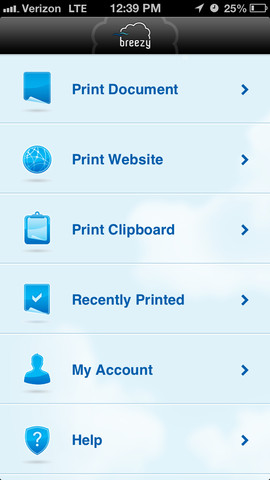
Breezy Print and Fax - Best Fax Sending Apps for iPhone and Android

One of the most popular fax sending apps used by Android and iPhones users, Breezy doubles up as a printing and a fax app. To send fax using the app, users need to collect credits from the Breezy website. Thus while the app can be freely downloaded, the credits have to be purchased separately. To send a fax using the app, you can go to the Breezy menu that will be located in every document and enter the fax number.

iFax
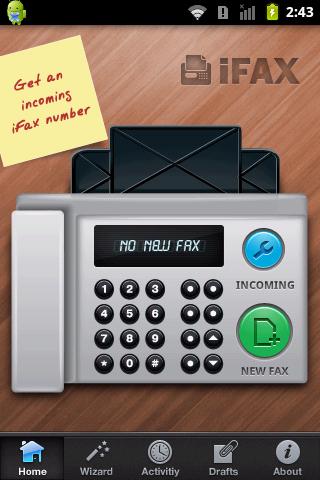
iFax - Best Fax Sending Apps for iPhone and Android

The iFax app can be used for both sending and receiving fax. A freely available app, iFax allows users to import documents from Dropbox, iPhone Mail etc. The app allows you to create a cover page, fill in a few forms, write notes if necessary and send multiple fax at one go. iFax, which works in both Android phones and iPhones, allows users to send PDF, DOC, XLS and JPG files.

JotNot Fax
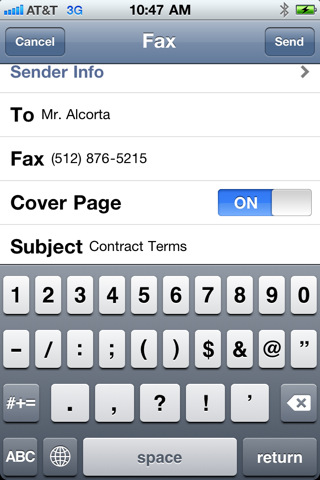
JotNot Fax - Best Fax Sending Apps for iPhone and Android

A simple app that allows users to send and receive apps, the JotNot Fax lets users send PDF documents to fax users in USA and Canada. To send a fax using the app, users will have to access their document through a cloud storage space such as Dropbox and Box.net. Users are required to first retrieve the document from the cloud and then enter the fax number to send the fax.

Efax
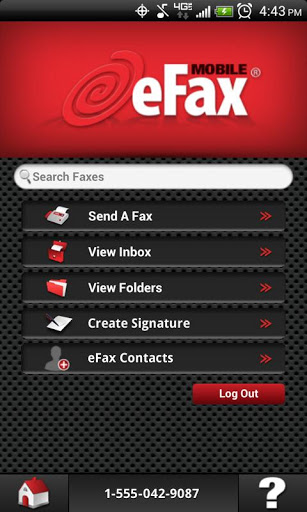
Efax - Best Fax Sending Apps for iPhone and Android

If there is one simple fax app that works great in iPhones and Android phones, then it is Efax. The simple user interface allows users not only to send fax but also receive them within seconds. To start using the app, users need to create an account in the Efax website. The app can be freely downloaded after which credits have to be bought to send fax. Another amazing feature of Efax is that it allows users to insert digital signatures while sending a document through fax.

MobileToolz Pro
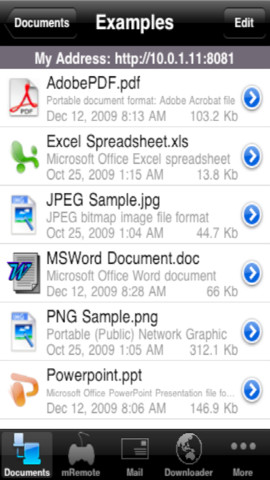
MobileToolz Pro - Best Fax Sending Apps for iPhone and Android

An app that comes at a price of $9.99 has several features. Not only can the app be used to send fax but it can also be used to print, scan and view presentations using the same interface. To send documents that are stored on the cloud, users have to first import them to MobileToolz.[/sociallocker]

Filed Under: Freebies Tagged With: android, android fax app, iphone, iphone fax app, Tools

About Rupesh Kumar

Rupesh Kumar founded Best Free Web Resources in 2010 and edits the site. He writes about free web resources, web development and running open AI models locally. Learn more: About BFWR & our editorial standards → · Follow on X (@bestfreewebres) →

Primary Sidebar

⚡ FREE INTERACTIVE TOOLS

Local AI Hardware & VRAM Matrix

Benchmark your PC or Mac for local AI, calculate VRAM requirements, and compare cloud API costs vs local hardware ROI.

🚀 New here? Start with Local LLMs → 💻 Hardware Matrix (75 Devices) → 📚 Local LLM Directory (30 Models) → 🎮 AI GPU Comparison → ⚡ VRAM & KV Cache Calculator → 💰 API Pricing & Break-Even → 🍎 Mac VRAM Unlocker (90% Boost) →
📦 Ollama 🖥️ LM Studio ⚙️ llama.cpp 🚦 vLLM 💬 Open WebUI 🎨 ComfyUI 🔒 Self-Hosted 📊 VRAM Tiers 🎯 Recommender ⚖️ Comparisons

Search

  • Facebook
  • Instagram
  • RSS
  • Twitter
  • YouTube

Footer

Latest Guides

  • Mac mini M6 for Local AI: Which Configuration to Buy, and Why 16GB Is Slower
  • LM Studio Bionic: What It Does, What It Costs, and What Stays Local
  • llmfit: How the Local LLM Fit Checker Works, and How Far to Trust It
  • How to Run GLM-5.3-Flash Locally: 321B, MIT Licence, and the Memory It Takes
  • Why Modern Online Slots Feel Different Even When the Basic Format Looks the Same
  • How to Run Qwen3.8-Flash-Next Locally: Memory, Speed and the Licence Catch

AI Tools & Calculators

  • What can I run?
  • VRAM Calculator
  • GGUF Size Calculator
  • Fine-tuning VRAM
  • LoRA Training VRAM
  • Image Generation VRAM
  • Mac VRAM Optimizer

Browse & Compare

  • Models Directory (30 models)
  • Hardware Matrix (75 devices)
  • Image Models
  • Model Licences
  • Comparisons
  • Model Recommender
  • API Pricing & ROI

Guides & Resources

  • Technology
  • Coding
  • Tutorials
  • Freebies
  • Graphics

Copyright © 2026 · Best Free Web Resources · All Rights Reserved.  |  About · Privacy Policy · Contact · AI Tools Hub