
As we get closer to improving autonomous vehicles, image annotation becomes an essential tool to assist us. Image annotation refers to marking specific elements within images by assigning labels or markers. This enhances a vehicle’s perception and helps it comprehend its surroundings.
This procedure is pivotal in training artificial intelligence systems to perceive images like human vision. Interestingly, the global data annotation tools market, which includes image annotation, was valued at USD 805.6 million in 2022 and is forecasted to grow at an impressive CAGR of 26.5% from 2023 to 2030.
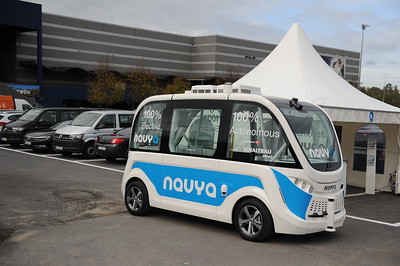
The importance of image annotation in technologies like autonomous vehicles is highlighted by this growth trajectory. This article unravels how various image annotation techniques augment object detection capabilities. Let’s explore some of these techniques.
Bounding Boxes
Bounding boxes serve as a primary tool in image annotation. When we think of this method, we visualize someone drawing a rectangle shape around an object. This technique helps machines detect objects in images by providing a clear reference point for computer vision algorithms.
The idea is similar: in image annotation, a digital rectangle, the bounding box, encapsulates each object of interest in the image. This marking outlines the ‘boundaries’ of an object, thus defining its location and dimensions.
This technique provides data about the spatial context and shape of the objects in the image. It feeds this data into the AI system of an autonomous vehicle, which then learns to associate these shapes and their context with specific objects.
Remember the shape and context for future reference. Consistent annotation makes the AI more adept at identifying objects, from a moving bicycle to a stationary lamppost. The widespread use of bounding boxes in image annotation for autonomous vehicles highlights their effectiveness and makes them an essential tool for object detection.
Semantic Segmentation
Semantic segmentation, often considered an advanced form of image annotation, dives deeper into understanding images. Where techniques such as bounding boxes encapsulate an object within a rectangle, semantic segmentation takes a step ahead and dissects the image at a microscopic level – the pixel.
The primary objective of semantic segmentation is to label each pixel in an image, attaching it to a specific class or object. It creates a comprehensive, pixel-wise map of the entire image, showcasing a granular-level classification of the constituents.
In the context of autonomous vehicles, this technique offers immense value. Imagine a self-driving car traversing an urban environment. The AI, backed by semantic segmentation, can distinguish the pixels representing the road from those indicating a sidewalk, differentiating the two areas accurately. Similarly, it can segregate pixels representing a cyclist from a pedestrian or a car, allowing the autonomous vehicle to identify the various road users around it precisely.
Polylines
Polylines, a term rooted in geometry, have found a pivotal place in image annotation for autonomous vehicles. They act as connected lines over an image, which give a detailed path or direction. The polylines represent the lanes and markings on roads and objects’ movement paths in a digital image.
To help an autonomous vehicle understand its environment better, we use an image annotator’s expertise to draw these lines manually. They meticulously trace the contours of different elements, such as traffic lanes, road edges, or pedestrian paths, on a series of images or video frames.
Once these lines are drawn, the vehicle’s AI system takes over. It learns from these annotated images, improving its ability to recognize these elements in real-world scenarios. The polylines serve as a digital guide, teaching the vehicle how to interpret its environment.
Video Frame Annotation
Real-time object detection is a vital feature of autonomous vehicles, and video frame annotation plays a key role in supporting this. This technique revolves around tagging objects of interest within each video frame. Essentially, the AI system is shown a sequence of images that form a video clip, and annotations are applied to the objects in each frame.

This process creates a clear pathway for the AI to follow, much like connecting the dots in a puzzle. The vehicle’s AI system then applies this annotated data to predict objects’ movement, helping to anticipate sudden changes or obstacles on the road.
For example, imagine a pedestrian crossing the road. With video frame annotation, the autonomous vehicle’s AI can detect pedestrians and predict their pathways across the frames.
Key points
The technique of key point annotation is a captivating one. It selects certain crucial points on an image, almost like joining the dots on a picture. The annotators painstakingly mark points of interest on the image that together constitute a specific shape or feature.
This could range from the outline of a pedestrian’s body to the distinctive form of a vehicle. Once these points are plotted, the AI system steps in. Using advanced algorithms, it examines these key points and develops an understanding of the shape and orientation of the objects in the image.
This understanding then translates into the autonomous vehicle’s capability to discern different orientations and shapes on the road.
Polygons
Polygon annotation works through a simple yet profound mechanism. First, human annotators trace the complex outlines of objects within an image using multiple straight lines, forming a polygon. This doesn’t restrict the annotation to rectangles as in the case of bounding boxes, thus accommodating objects of any shape, including irregular ones. The procedure creates a more accurate representation of the item in question by closely following its actual contour.
For autonomous vehicles, this level of detail is incredibly beneficial. Take an example of debris on the road. The debris could have an irregular shape, which a bounding box might not accurately capture. In contrast, a polygon annotation can capture the exact shape, informing the vehicle of the specific area to avoid.
The AI systems in autonomous vehicles then learn from these polygon annotations. They gradually improve their ability to identify and react to similar objects or scenarios in real time through machine learning.
Conclusion
The innovative techniques of image annotation, ranging from bounding boxes to polygon annotations, have tremendously boosted the object detection capabilities of autonomous vehicles. These mechanisms imbue AI systems with human-like perception, teaching them to discern various objects and scenarios encountered on the road.
This complex network of techniques caters to multiple facets of object detection: defining simple boundaries, grasping an object’s shape, or understanding its trajectory. As these systems evolve and adapt through machine learning, the accuracy of object identification escalates, contributing to safer and more reliable autonomous navigation.