
Thanks to a wealth of information regarding web design, many websites are popping up every day. Given that pace, if your website isn’t well-built, your visitors may want to shift gear.
Websites, after all, serve as brilliant marketing platforms and allow entrepreneurs to engage with their customers. Therefore, if your website is complex to navigate, slow to load, or hard to read, you may never be able to spread the word about your existence.
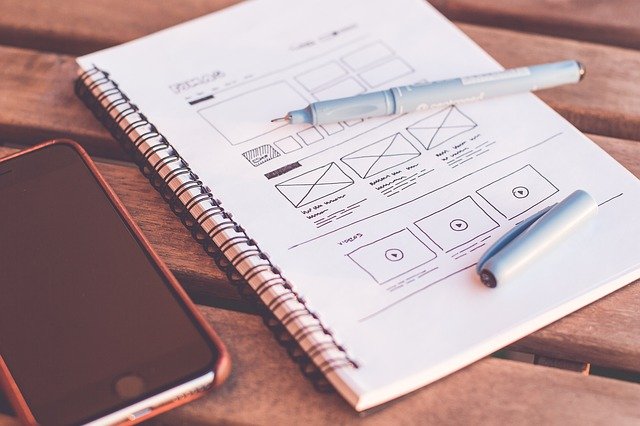
An effective website design should perform its primary goal by expressing its specific message while also trying to engage the visitor. A good website design incorporates several elements: consistency, imagery, functionality, colors, simplicity, etc.
A well-designed website can tremendously aid in developing visitor trust and guiding them to take action. However, creating a great user experience is not a piece of cake. It entails optimizing accessibility (form and aesthetics) and how simple it is to use (functionality). To shed more light on that matter, here are a few essential elements of web design that will help you in creating a successful and engaging website:
- The layout and design
When creating a successful website, an attractive and easy-going layout is crucial. The website must be smooth and contain an easy-to-follow navigation system to contribute to a useable webpage layout.
A simple design will allow visitors to the site to access essential and valuable information quickly. The website’s content should be easy to find. When visitors find it difficult to find content on a website, they become flustered and choose to leave, possibly never returning.
A website design service should be able to help you create a website that is eye-catching and ranks well on Google. And suppose you are looking to secure money towards your business website in Newcastle, Australia. In that case, you can search up Web Design Newcastle and seek services from industry experts.
With their help, you can create a website that offers a fantastic user experience, is high on functionality, and has an excellent balance of design. As a result, your visitors will feel at ease and wish to return, see the updated information, and use the website more.
- Typography that is clean and bold
Another crucial element of website design is clean, bold, and safe typography. The following features must be present in clean typography:
- Appropriately sized text (typically larger than 16px)
- Enough space between lines to allow for easy reading
- Gray/black typography that corresponds to the background images or colors
- Web-friendly fonts
Most businesses use a specific typography style as part of their brand identity. The New Yorker, for example, employs Adobe Caslon to create its instantly recognizable typeset. Consider using a font that will be coherent across pages and other internet materials you may provide.
- Schemes of color
The color palette on your website will directly impact the viewpoints of your visitors. When selecting a color scheme, consider your brand and industry, and identify the colors that best represent your company.
For instance, a pretty florist website may choose white and black to contrast their products’ wild and vibrant colors. In contrast, a healthcare facility may want to use green or blue to represent wellness and health. After you’ve decided on a dominant color, think about how your color palette should look. For example, you could use an analogous color palette with a few closely related colors or complementary colors to draw the audience’s attention to a specific button.
- Made with SEO in mind
SEO (Search Engine Optimization) is undoubtedly critical for any business seeking online success. Still, companies often don’t think about it until their website is ready. With thousands of sites already in existence, your pages must be optimized correctly to compete.
Furthermore, an SEO-friendly website is designed and developed so that search engines can easily crawl across it, discovering pages and learning more about how to rank your website. In addition, users will see products available on your website as soon as they type in the key phrases. So, be sure to add the concept of SEO into your website during the design process – and not later.
- Attractive CTAs
Most websites’ primary role is to get a customer to take action on their site to purchase products, receive information, or provide contact information. Therefore, prominently place calls to action throughout the page to accomplish this.
The design of the landing page should direct users to that action. Using spacing, contrasting colors, and content, you can lead your users to the appropriate action. Bear in mind that the calls-to-action should be super engaging and say what you want them to do, whether it’s “Click Me”, “Sign Up for Free”, or “Reach Out to Us”. If you want to target a variety of actions, think about the essential one that a customer could take, and then target that one through the CTA.
- Navigation
A friendly and streamlined web design entails site architecture, menus, and other navigation tools to ease users’ search and browsing.
The primary goal is to make it easy for users to navigate the site and find the information they need. A genuinely productive website design instantly engages your visitors. It keeps their attention throughout EVERY page and influences them to approach you. That is known as ‘conversion’, and it is most likely the end objective of your website. Nonetheless, there’s a fine line between interaction and irritation, so the level of interaction should never be greater than the benefit.
- Mobile-friendly layout
First-generation websites were created for desktop computers, having larger screens and point-and-click mouse regulation. However, with the rise of mobile devices, online traffic may come from numerous sources – and your website must offer the same experience regardless of the user’s device.
That means developing a mobile-friendly layout that automatically features other elements like text, images, and user interfaces (UIs) to resize and rescale depending on the site’s device. Safe to say, mobile-friendly websites aren’t just a hip, nice feature; they are necessary.
Conclusion
These elements are vital in creating a website that will breed success and entice your visitors to stay. It will also increase sales, generate leads, and grow your business by leaps and bounds. So, if you are attempting to build a website or already have one, deploy these elements into your process. You can create a captivating and streamlined website that drives conversions and captures user interest with them.