
In the past many online businesses relied heavily on emails to reach out to their subscribers and follow-up, deliver newsletters, and so on. However, email alone does not suffice in today’s competitive environment, but it is increasingly important for businesses to be able to reach their customers using a more diverse range of channels.
“What is SendPulse?”
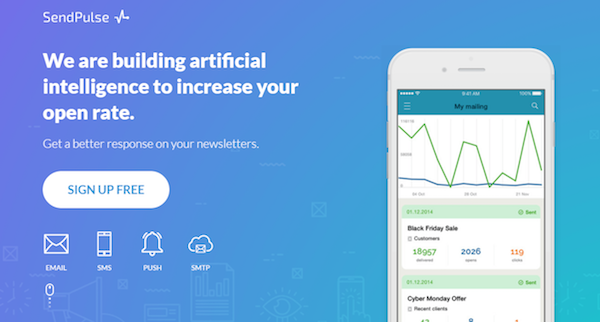
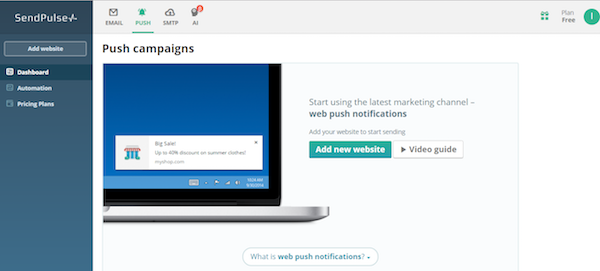
At its core SendPulse is a 5-in-1 platform that will let you reach your subscribers using multiple channels of communication. It will let you send email, web push notifications, or SMS and Viber messages, and has a SMTP server that can be integrated into your existing system.
As an award-winning service SendPulse was one of just three finalists in the Next Web SCALE 2016 program, and was recognized as one of the best startups that year. Its success has been staggering, and it now boasts many big name clients such as Aeroflot, Swatch, and Polish Airlines.
Unique Features and Benefits
By using SendPulse, you will be able to decide exactly how you want to contact your subscribers and leverage the multiple channels that it provides. However that is just the tip of the iceberg, and it has several other unique features that make it stand out:
- Combined multi-channel campaigns
Audience reach and engagement can be maximized by combining various channels of communication in a single campaign. If your subscribers are not responsive to a particular method such as email, other methods such as web push notifications or SMS messages can be used to follow up – to increase your chances of reaching them.
- Event-based automation
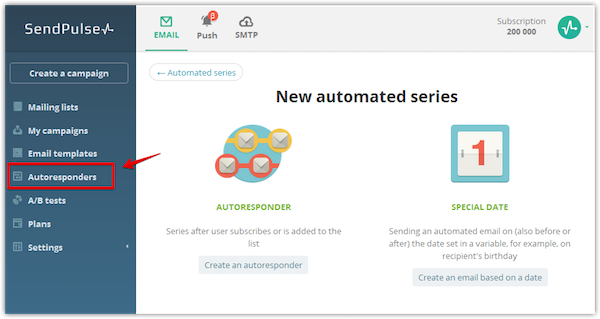
With the email automation in SendPulse, you’ll be able to send emails, web-push notifications or SMS messages when certain events are triggered. That will help you to automate most of your communication and can be customized and scaled according to your needs.
- Email templates and drag and drop editing
To make it easy to create emails that stand out, SendPulse has over 100 email templates that you can choose from across various categories. Alternatively you could create your own unique and responsive templates from scratch by using its drag and drop editor.
- Customizable subscription forms
If you want you can create various types of subscription forms using SendPulse, including embedded forms, pop-up windows, and floating or fixed forms. Additionally you can control exactly when and where the forms are displayed, and customize their fields or add images if required.
- Tools to improve conversion rates
Not only will SendPulse provide you with access to advanced analytics so you can track the performance of your messages, but it also has various tools that you can use to improve conversion rates. It can personalize emails with data that is available, segment them into groups of subscribers, or conduct split testing to improve a campaign’s effectiveness.
Pricing
The pricing structure that SendPulse provides for email is flexible, and will allow you to choose between several options:
- Free Plan for less than 2,500 subscribers that offers up to 15,000 emails per month on a free basis.
- Monthly Subscriptions that are charged based on the number of subscribers and start at $9.85 per month.
- Pay As You Go plans that charge based on the number of emails you need and start at $32 for 10,000 emails.
- VIP Plan for anyone with over 1 million subscribers and can be tailored according to the specific needs of your business.
The other services that SendPulse provides are priced competitively as well, including:
- Web Push Notifications that are forever free.
- SMS messages with rates that vary based on the recipients location.
- SMTP Service that provides 12,000 free emails monthly and has a monthly subscription or pay as you go option.
Compared to most other platforms, the free services provided by SendPulse have much higher quotas and will not limit or restrict your access to its features. In other words you could start trying it out without having to pay a dime – and then choose a plan based on your needs.
Conclusion
Overall SendPulse is a powerful marketing tool that will let you reach out to subscribers more effectively and conduct more successful campaigns. Its features set it apart from all of its competitors, and will allow you to transform your campaigns so that you’re able to communicate better with subscribers.