
In our era of internet technologies and globalization, it is no longer practical to spend vast amounts of time and paper on something that could be easily done from a personal computer or even phone. As heavy piles and days of waiting gradually recede into the past, electronic signature becomes a vital tool.
SignNow is one of the largest providers in this field. It has over 20 million users, offices around the world, and access to the US Legal library. It also has plenty of useful features, which enhance users’ workflow.
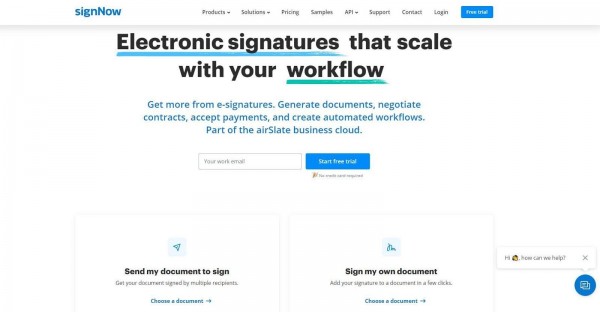
Send and Receive Documents for Signing
Exchanging documents using the SignNow app is simple, especially considering the number of features it provides. You can send individual or bulk invites, resend them, customize your invites, choose an expiration date, request documents and payments, set notifications, and create signing links.
For signers, there are a lot of features to explore as well. You can redline documents you receive before signing, add comments, save documents and signature confirmations, assign requests, or decline to sign if something is not right. As for the available signing methods, you can either type or draw your signature.
Document Authentication
Given that an electronic signature is legally binding, documents must be extremely well protected. SignNow provides a unique ID for every document and offers several other protection options:
- authentication settings (phone call and dual-factor authentication)
- document password
- inactivity timeout
Account Management
You can always check your document count in the user profile and track the task progress. If needed, you and your colleagues can form a team to work on shared projects. There is also an admin console for team admins, which provides tools for document organization. An admin can do the following:
- add or remove team members
- monitor and sign their documents
- manage team members’ access
- create templates
Admins are independent of other team members. They can also manage license agreements.
If you have an enterprise account, you can create a superadmin. Superadmins have control over all the company’s documents, including those of admins.
Customisation Options
It is necessary to adjust the signer options to every unique situation. SignNow allows the following:
- add or replace a signer;
- add multiple signers;
- add and delete roles;
- view recent signers.
Adding Logos
Adding a company’s brand to emails is a useful feature for any employee who wants to appear professional. There is an option to upload a custom logo from a library on your device. It can be previewed, and once you are happy with the way it looks, just click “Accept”. The logo will then appear in your correspondence.
Fillable Fields
Fillable fields add simplicity and flexibility to document management. There are, of course, special fields for initials and a signature, but that is not all. Users can create fields for text or calculations, as well as checkboxes, dropdown lists, time and date, anchor tags, radio buttons, and smart fields. Fillable fields can be imported from other documents if you do not wish to spend time creating them again.
Edit PDFs
Since documents are often sent as PDF files, it is very important to be able to edit those. SignNow has this covered. You can format and merge files, insert text and checkmarks, and add signature fields.
Folders and Templates
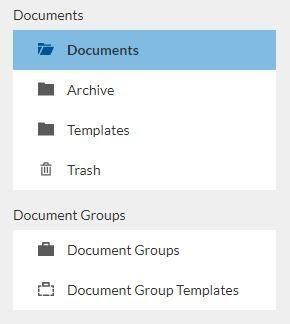
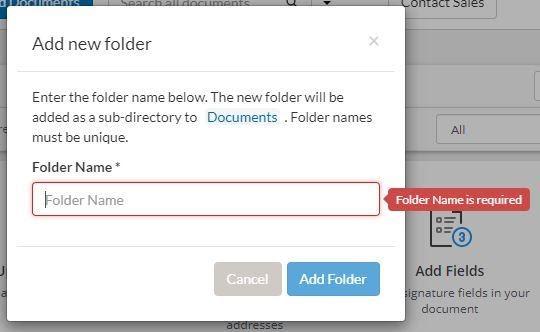
It is much easier to find a document you need if they are stored systematically. You can create folders and share them with your team members. If you have a group of documents that should be signed, there is no need to select them one by one: just send them all as a package.
Sometimes you might need to fill a number of similar documents. If this is the case, template creation can help you save some time. This feature gives you an opportunity to create templates for your personal use or share them with other team members.
Data Exports
If you want your data stored elsewhere, it is not a problem. The Export feature gathers information from multiple filled templates into a CSV file, so you do not spend any time consolidating it. In addition, if you have personal preferences regarding the app you use to work with the documents, any file may be uploaded there in PDF.
Integration with Other Apps
Integration mechanisms allow SignNow access and use information from more than 40 other apps, such as Dropbox, so you do not have to do it manually. If you are using the web version on Windows, you can upload the files directly from the desktop.
Search Options
If you have many documents, finding the right one quickly may be a challenge. Fortunately, there are several search options available:
- document by name
- text search
- email search
What Devices Can It Be Used From?
SignNow is web-based and can be accessed via any browser. No installation on your computer is required. It also has iOS and Android apps. Documents can be imported there using a camera or from your photo library, as well as from email inboxes and other apps. If you need a hard copy of a document, you can easily print it from your iPhone.
Is It Secure?
All SignNow’s data is protected, which allows your signature to be legally binding. Moreover, there are additional ways to make sure your documents are secure. Firstly, a signer of your document has to provide their full name. Secondly, the history of changes can be viewed at all times. It can be used as legal evidence, should the need arise. And thirdly, you may set up protections and protocols, such as HIPAA, Lightweight Directory Access Protocol (LDAP), and Advanced Threat Protection (ATP).
Tutorials

Although the app’s interface is quite simple, beginners may need some help with navigation through its features. Webinars and documentation are provided for them. They can also contact the support team for assistance during business hours or use a chatbot 24/7. Plenty of information, including articles with screenshots, is published on the SignNow website.
Pricing and Trial
It is impossible to predict if any particular software will meet all your specific requirements. The good news about SignNow: you can try it for free. There is a 30-day trial period available, which is enough to test its many features and see if it provides all you need.
If you are satisfied and want to proceed, there is a professional pricing plan with three main modes:
- 500 signature invites per year: $84/month
- 1,000 signature invites per year: $146/month
- 2,000 signature invites per year: $250/month
Enterprises may also contact SignNow and request a pricing plan suitable for their particular needs. Some additional features may be available for them.
Overall, SignNow is a solid option for a business looking for reliable tech. It has favorable reviews and compares well with its main competitors.