
There are several ways a business can enhance and promote brand awareness as well as build the business’s bottom line. However, for you to get the best out of this marketing and brand awareness technique, the design of the display must be top-notch.
Therefore, in this article, we will provide you with some incredible design tips that will make your POP displays visually appealing. Speaking of designs, click here to see some graphic design tips that you might also want to incorporate in your next exhibition.
Point of Purchase Display: What is it?
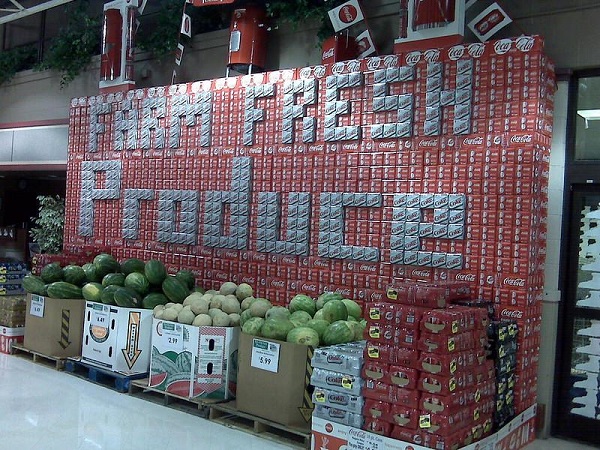
This has to do with a visual display that businesses place in an area where potential and current customers make their purchasing decisions. Some of these areas include open spaces or aisles in a store.
With that said, here are few tips you should consider when customizing your POP display:
1. Make the Custom POP Display Stand Out
For you to catch the eyes of potential customers, you need to make yours stand out. Given that the purchase zones are always filled with different kinds of visual materials such as posters, signage, different packages, etc. getting the eye of customers can be challenging.
Therefore, the only way to get the attention of folks in such an environment is to focus on just a feature or two that will ensure that the visual cue is completely eye-catching.
Some factors that will make it stand out include size, colors, shape, graphics (typefaces, drawings, photo).
2. Keep Your Branding Consistent
While your exhibition must be unique, you should ensure that the branding remains consistent. In other words, folks should easily recognize and associate the exhibition with your business brand. Folks who see it shouldn’t begin to wonder which business owns the exhibition.
To get this achieved, your brand logo(s) and color(s) must be incorporated into the POP design. This will enable anyone who sees the visual cue to link it to your company or the particular product you are creating awareness for.
3. Use Additional Visual Solutions
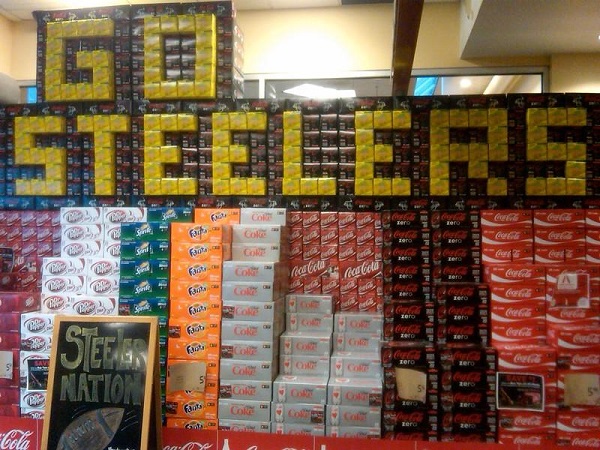
The struggle for the attention of customers is quite fierce especially if your display is in a very busy area. Therefore, it becomes necessary that you design your custom point of purchase display in such a way that it can easily catch the eye.
A simple way to do this is to use additional visual solutions. What do we mean by this? Additional visual solutions are other visuals that relate or interact with your POP showcase to make it more compelling.
For instance, you can create a graphic behind your exhibition that catches the eye and points to the display. A caricature can easily catch the eye and can be used for this purpose.
Examples of some visual solutions that you can use include floor graphics, wall graphics, banners, window graphics, advertising flags, etc.
4. Select the Appropriate Type
These displays come in various sizes, shapes, and types. Hence, one of the factors that will determine if your exhibit produces the effect you desire is to select the appropriate type.
Your choice will be determined by certain factors such as the product, commercial goals, and branding needs. When you can comfortably identify these factors, it will help you to choose the type you will use.
There are different types but the following are most common:
a. Counter Display
This type is placed on counters where a staff of the company interacts with customers in order to provide them with the services they need. If your business makes use of counters in this manner, then this will be a good choice to go for.
b. Aisle Display
You will find this in the aisles of stores. The advantage of this is that it can reach a wider number of people since they are usually in a more public space than counters.
c. Banner Stand
These are simply banners that are used for the purpose of creating brand awareness. Visit https://www.investopedia.com/terms/b/brandawareness.asp to read more about brand awareness.
d. Sidekick
With this, you can attach the exhibit to already existing shelving. Hence, you can enhance your storage space as well as differentiate between different products on the shelves. This can be used if your business sells products directly from the shelf. Hence, as the customers shop, they might choose to buy another product that is on a particular showcase which they come across.
5. Height is Important
You should not neglect the height factor no matter the type or size you are using. When we talk about height in this case, we are saying that the display should be at your customers’ eye level.
Your exhibition should not be so high off the ground that folks find it hard to see talk less of reading it. In the same vein, it shouldn’t be too low that they have to bend to read it.
Conclusion
The article above has provided you with 5 design tips for your custom point of purchase display.