
Web and mobile development has evolved with time. It is no more just about writing pages of HTML and attaching them coherently. With changing times, user tastes and demands have also changed. The new concepts of mobile and web apps require just a single page app, so that a user can just scroll up and down for the entire content of the app without having to tap the screen.
Although this is beneficial for users and app owners, at the same time requires writing a lot of code for app developers. This is where frameworks enter the scenario. These front end JavaScript Frameworks were created to give solace to the harassed souls of developers. Frameworks allow developers to put together a mobile or a web app more efficiently and neatly without the need to write long and cumbersome codes.
What are frontend JavaScript frameworks?
Web and mobile app development requires teamwork of a designer and a developer. A designer takes care of the frontend part, which decides how the app will actually look. The developer then adds functionality at the back end to make the app work. It often happens that the end results after the completion of backend work look different from the initial expectations. This results in patch work by both the developer and the designer to get it as close as possible to the original idea. This patch work becomes even more complex in single page app designs.
These front end JavaScript frameworks ensure that the backend part can be added later on without hassles and disturbance to the frontend part of the app. These frameworks have been designed on the principles of HTML and CSS frameworks like Bootstrap and Foundation for the sole purpose of creating apps. These frameworks ensure that the designer’s work does not get transformed or manipulated due to the backend work.
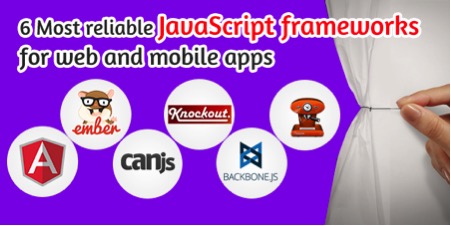
Here are the 6 most reliable front end JavaScript frameworks for web and mobile app developers
- AngularJS
AngularJS is a framework which specializes in designing single page applications. It makes the process of development and testing of such apps simpler. It uses (MVC) Model View Controller based architecture for developing apps. This framework is by far the most widely used framework which is loaded with features. It has around 800 third party modules to choose from and is backed by a community with more than a million members. It would not be wrong to say that it was this framework which introduced the MVC architecture concept in mobile apps. A developer does not have to use other JS libraries along with AngularJS.
- EmberJS
If you compare this framework with AngularJS popularity wise, then it surely lags behind. But utility wise it is hardly behind any framework. For a developer who focuses more on conventions rather than configurations, EmberJS is the framework to opt for. It is essentially a robust routing framework and is suitable for complex nested routes and templates on the same page.
- CanJS
I cannot call this framework popular because it is a relatively new entrant. But withstanding this fact, it can be safely said that this framework is impressive due to its ease of use and flexibility. It performs well when you have to render view binding. But its only downside is that being less popular you will find it hard to come across an online tutorial for using it. You also require Zepto libraries to make this framework work properly.
- KnockoutJS
Almost all app developers swear by KnockoutJS. Every developer loves it. If you want to create your own framework the KnockoutJS is the framework you will need. It is a framework which is lightweight and has every possible view rendering feature your app might require. It is very good for data bindings. But since it does not have any built-in features for converting objects into nested observable, your ability of structuring your app will get limited.
- BackBoneJS
This is not a complete framework but is used for building frameworks. Many frameworks like LayoutManager, Thorax and Marionette have been built using this framework. It is however an excellent tool for jQuery likes event binding, handling requests, module loading and request routing. Its only drawback is that it is only for advance programmers and is difficult to learn and understand.
- Cappuccino
Cappuccino is an open source framework which was created by the 280North team and is now owned by Motorola. This framework gained instantaneous fame with the release of 280Slides, an app for creating online presentations which was completely built using Cappuccino. Cappuccino can be used by developers for creating desktop quality apps which run on web browsers. It is a unique framework that differs from others as it does not require a developer to work with HTML, CSS and DOM. All a developer requires is the complete knowledge of this framework only.
Now, to wrap up things
We are almost done for now. All that I knew has been put down here. But still, like I always say, Knowledge is endless. It never ceases or ends abruptly, but keeps flowing like a stream of clear spring water, enriching and enlightening our minds. So if any one you thinks that there a framework which needs special mention over here, then please drop me a line and I shall be obliged to put it right down here.
Author Bio: Macy Jones works as an app developer at App Xperts, an App development Melbourne based company. She specializes in creating hybrid apps for both the iOS and Android platforms. Know her more through Facebook or Twitter.
The projects of the new era are very complex and require a high level of customization. Coding basic details is not always possible and for advanced customization, frameworks are necessary. I am a Manager at Enterprise Monkey, Geelong, Australia. Enterprise Monkey provides smarter digital solutions that automate revenue generation and save costs for SMEs and Not-for-Profits. We help businesses by inroducing, automation, optimization and intelligence in their processes.
I am a Manager at Enterprise Monkey, Geelong, Australia. Enterprise Monkey provides smarter digital solutions that automate revenue generation and save costs for SMEs and Not-for-Profits.
Marcus miller // Manager, http://www.enterprisemonkey.com.au