
No one can deny the fact that there are unprecedented opportunities in the mobile app development arena. The success of Smartphones, tablets and other Internet-enabled mobile devices across the globe have augmented the application development business. There are several giant mobile app development companies out there that are generating a great revenue. The growing demand of this business ultimately boosts both these companies and developers working individually.
You can also reap the benefits of this accentuating market, and enter the field with innovative ideas and approaches. However, to pave the path towards success with mobile app development, there are several aspects that must be considered. And, the programming language is the one that is at the top of the list. If we will consider the two most popular mobile platforms, Android (features Java) and iOS (features Objective-C and Swift), it can be observed that both the languages possess a steep learning curve. Therefore, to learn the language and understand the development environment thoroughly, you will first need to invest your valuable time and efforts.
Fortunately, there is a fabulous alternative that can allow an individual without any programming knowledge beforehand to rapidly develop a mobile application. This alternative includes the implementation of the incredible tools that can manage all the coding task and perfectly compile your app for the targeted platform. Moreover, these tools also offer a noteworthy guide to properly publish the application in the intended app store.
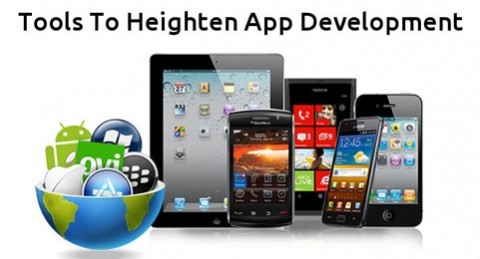
Here is a list of a few of the remarkable mobile app development tools that facilitate an individual with minimal or zero development experience to deliver a wonderful app.
Mobile App Development
- App Press
 The highly intuitive and impressive interface of the application makes it extremely easy to streamline the mobile app development process. You can design a creative application by simply implementing this high end tool. It enables one to integrate the desired graphics and interface elements via its easy-to-use visual tools. Just drag whatever you like from the available options and drop it into your app layout and enhance its aesthetics. Since, you can also review your application while creating it and thus, it will make the app deployment much easier.In fact, the App Press allows one to conveniently track your app and your user behavior via the proficient Google Analytics. Furthermore you can also feed updates to your users through the push notifications. And, all this is achievable without getting your hands dirty in coding.
- Mobincube
 Get the best customization deals with Mobincube, you will get a whopping number of beautiful built-in templates that support different content types. And, while assisting you through the programming, it allows one to intuitively integrate the requisite functionality in the app. It also facilitates one to design a desired visual appeal to their mobile app with captivating graphics.Most interestingly, you can conveniently create an amazing application for popular mobile platforms including Android, BlackBerry, iOS, and more with this proficient tool.
- The App Builder
 This is popular app development tool that helps individuals (without any programming knowledge) to efficiently design and develop their mobile app. It embraces a step-by-step process that allows one to seamlessly create a desired app, while its huge template repository augments interface designing.To integrate the incredible functionalities like Photos, RSS, Videos, Twitter, Contacts, Wall chat Facebook, and so forth in the app, you can simply add the appropriate module in your app.
- BuzzTouch
 Whether you want to create an iOS app or Android app, this resourceful tool offers built-in plugins and support custom features to help non-programmers conveniently create a desired app. It will provide you the native platform source code that can be used for the build.Moreover, with this app, there is no need to worry about the release of the application. It will help you conveniently launch the app publicly.
- App Makr
 This is another proficient mobile app development tool that helps deliver a fabulous application and doesn’t need any coding skills. Its drag and drop capability allows one to easily integrate the desired functionalities into the application and customize the app UI design to suit their taste.This efficient tool delivers a working application in a few minutes and several other superior features.
There are many more tools available in the market that helps non-developers develop a remarkable mobile app. You may choose any of the aforementioned development tools and create a requisite mobile application. However, it is advisable to first streamline your application goals and accordingly choose the best suitable tool for its development.
Author Signature: Addison Cohen is an application developer for Appsted Ltd. You can contact him to hire iPhone app programmers for highly functional app development solutions. He loves sharing latest information on mobile app development processes.
Thanks for the useful comparison! Please let me introduce https://www.mobiroller.com/en as an alternative. It’s a DIY app maker and very easy to use. Android and iOS platforms are supported. You can make mobile apps for yourself and for your clients. You can also get your .apk real fast. No coding needed.