
Designing your own website doesn’t have to be an intimidating task any longer. WordPress changed the game when it introduced everyone to the option of doing this task with no coding experience or technical knowledge.
Nevertheless, designing a WordPress site alone is a discouraging task for some, but thanks to articles you can find on the Internet, it shouldn’t be. Let’s understand what is needed to think about before starting to design your own WordPress website.
How to go about designing your own WordPress site
First of all, you should accumulate as many inspiring ideas as you can. This includes making lists, looking at pictures, even visiting places you find inspiring and good looking. Jumpstart your creative potential and think productively about what you like the look of and how to implement it into your design.
Pros and cons of designing a website on your own
Before making the decision to start the actual task of creating your WordPress website from scratch, you should weight the advantages and disadvantages, and see if it’s worth taking on such a project.
Pros
- It costs less. Even though you will most likely still have to pay for some components, like themes or certain plugins, the cost of paying someone to design your site for you is considerably higher than doing it yourself.
- You get full creative freedom. No one else can see with your eyes, so nobody can implement your vision 100%. Yet, when you do it yourself, you know exactly what you’re going for, so you don’t have to waste time to try to explain it to someone else.
- Learning something new is good for you. According to countless studies, it has been shown that learning something new stimulates your brain helps it stay alert and strong, especially if the task at hand is a little challenging too.
- It’s fun. The vast array of possibilities alone can get someone eager to start exploring. Add in all the design technicalities, such as columns, sidebars, colors, fonts, logos and all the other elements of a well-thought -out site, and you have a rich, fun activity that will instantly grab your attention and won’t let it go until you’ve finished your masterpiece.
- You have alternatives. You can always hire a professional should you find this process to be too costly, both in terms of time and patience.
Cons
- It will take some time to learn. You have to become familiar with the terminology and components of your site when you are first starting out, so, if you want to do things thoroughly, you will have to put in the time to learn.
- You might not end up with what you envisioned. A common beginner experience is that, even after spending time learning how to do everything and analyzing how other sites are built, the end result is something different from what you wanted. Mistakes happen sometimes, so keep that prospect in mind. Nobody’s born knowing.
- There’s no one there to help you. Sure, you have YouTube videos and books, but real-life technical support can sometimes come in very handy, and you won’t have that option when designing the website by yourself.
Main reasons to use a theme detector
There are several reasons for which you could use an internet tool like this.
- It’s intuitive, so you don’t have to spend time learning how to use it.
- It’s free, so you can save some money for your blog design.
- It’s convenient because it provides you with some information instantly.
- It saves time as you won’t have to search for the theme yourself. Have you seen the size of that WordPress theme directory?
Detect a WordPress website’s theme in a few steps
Reaching the decision of what theme you like is a more time-consuming task than actually finding out how that theme is called. WhoisWP is an accurate tool to help you get this job done quick and easy. It barely even takes 5 steps.
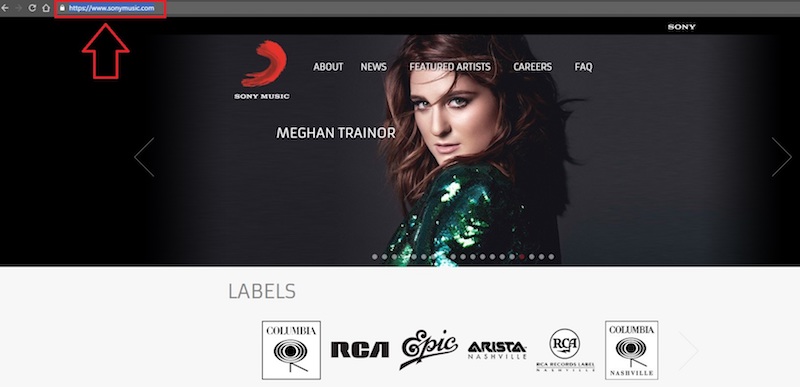
1. Copy the URL of the website you are intending to examine.
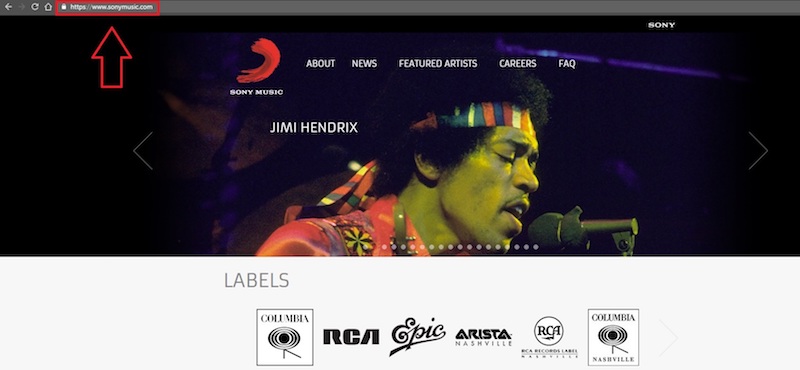
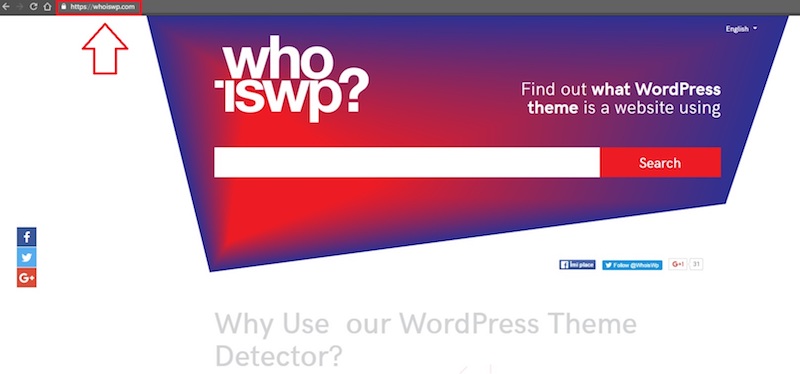
2. Got to WhoisWP.com.
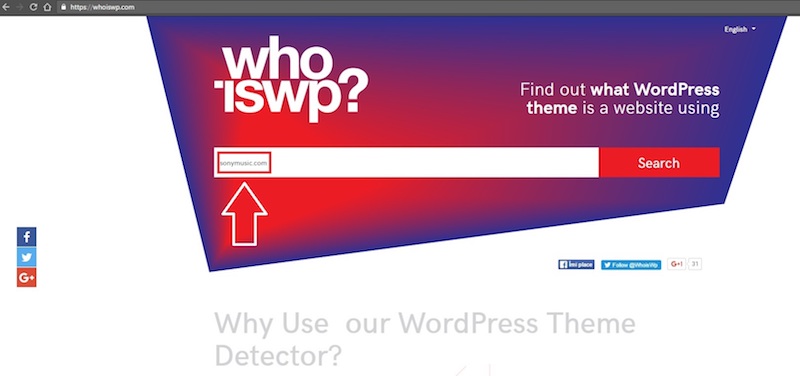
3. Paste the address you copied into the search box.
4. Press the Search button.
5. After a few seconds, you can see the results, so you don’t need to do anything else for this step.
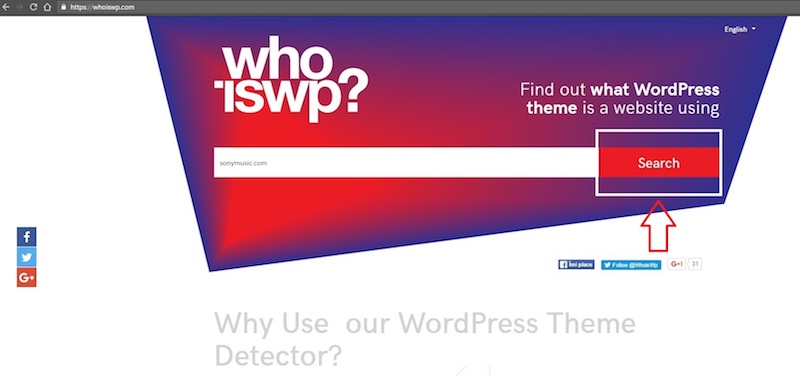
The list of information will contain the WordPress theme’s name, which version it is, who the author is and even the plugins the website is using.
Alternatively, you can try using this theme detector by Satori – it’s a minimalist tool that outputs only the most essential theme information in an easily readable format: theme name, author, version, child theme, description, and of course the link to the official theme page. The latter can be called a differentiating feature of this detector, since it often produces a more reliable result if you wish to actually get your hands on the original theme itself.
Consider the small details
No detail is too small when designing a quality website. These are the extremely important, but sometimes overlooked details that can make or break your website.
- Plugins – These handy dandy little helpers are meant to bring all sorts of excellent functions to your WordPress website so that you don’t have to implement them by yourself. That would mean more time spent, or worse, coding.
Tip: The top reason to use plugins is to keep your WordPress site safe. One popular security plugin many have found helpful is WordFence. It oversees the WordPress firewall and makes sure your login is secure, it also performs security scans, IP blocking, and even more useful features are available in the premium version.
- Fonts – A seemingly insignificant detail. You would think it doesn’t matter how the letters look, as long as the text is awesome. Sadly, it matters a lot, possibly even more than the actual content itself because the fonts are what people take a look at before starting to read the message.
Tip: Make sure your fonts are legible and attractive to look at and don’t use too many of them on the same page; it might end up looking messy and unprofessional.
- Colors – The shade, intensity, brightness and saturation of the colors displayed on a website all convey an important message to the one viewing them. The combination of blue and white feels completely different from blue and black.
Tip: Make sure you don’t highlight everything. Use you stronger contrasts to make the most important text on the page stand out. This way, it will be the first thing your visitors see.
Have fun applying your knowledge
You have now investigated the essential things to consider before starting to create a WordPress website. Hopefully, this information has helped you understand the preparation process a little and you are now ready to start your journey to the best site, suited to your unique image and ideas. Good luck!
Perfect tips! Thank you so much! I personally want to build a powerful news portal website from one of the news wordpress themes https://www.templatemonster.com/category/news-portal-wordpress-themes/ . Using any of them anyone can create a unique and professional news portal with ease.