• Skip to main content
  • Skip to secondary menu
  • Skip to primary sidebar
  • Skip to footer
Best Free Web Resources — local AI tools and hardware guides

Best Free Web Resources

Local AI Tools & Digital Engineering Resources

What can I run?
  • AI Tools
    • Start: Local LLMs
    • Ollama Models & VRAM
    • LM Studio Models
    • GPU Comparison
    • AI Hardware Matrix
    • Local LLM Directory
    • VRAM Calculator
    • Hardware Compare
    • Local Model Recommender
    • API Pricing & ROI
  • Local AI Guides
  • Web Resources
    • Inspiration
    • Photography
    • Games
    • SEO
    • Tutorial
      • Coding
      • WordPress
    • Resume/CV
    • Graphics
      • Logo
    • Freebies

How to know Website’s Mobile Compatibility? Top 5 Tools to Use

November 6, 2014 by Rupesh Kumar

With mobile devices taking over the place of the PC and with more than 3 billion mobile phones being used globally, not having a mobile friendly website is like letting your website sinking in the sea. Hence, you are left with no choice other than building a mobile friendly website, which also improve user experience. Sounds great!
How to know Website’s Mobile Compatibility
The ultimate goal of any business website is to have optimum viewing capacity on mobile browsers. So, how you test whether your website is a mobile compatible? Fortunately, we are blessed with numerous sites for mobile browser compatibility-testing, let`s address five of them.
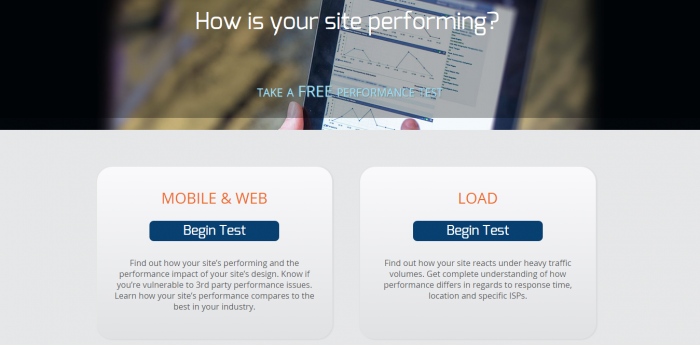
Gomez.com

Gomez OR Compuware APMIt is free and you need to sign up by entering some regular information as well as the URL you would like to test. Then, gomez.com would send you an email including the results of the Gomez’ Mobile Performance Test. You can run your test on some of the most common devices in the marketplace like Apple iPad running Safari 3.2, Nexus One Android running Chrome, NX1 2.2, BlackBerry Storm2 running BlackBerry OS5 browser and Apple iPhone running Safari 4.0.

Also Read: 
1. Creating a Website: Top 10 Awesome Tools and Resources
2. 10 Free WordPress Theme Frameworks and Starter Themes
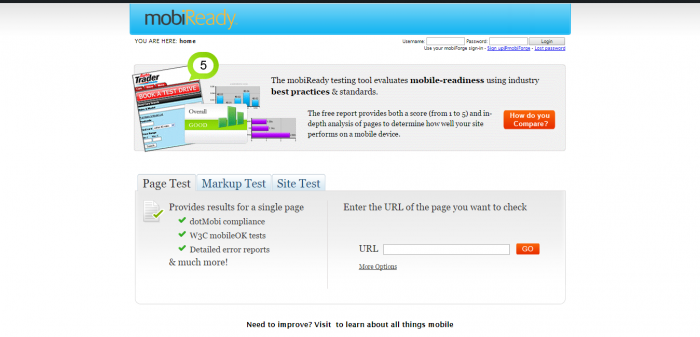
MobiReady

MobileReadyIt is free and has a friendly user interface. It is that simple; only enter the URL you would like to test and press “Go”. The result will show you how your URL would be viewed on a mobile phone along with the predictable speed. But, you have limited mobile viewers to test against like Sharp GX-10, Motorola v3i, Sony Ericsson k750i, Samsung z105, and Nokia N70.
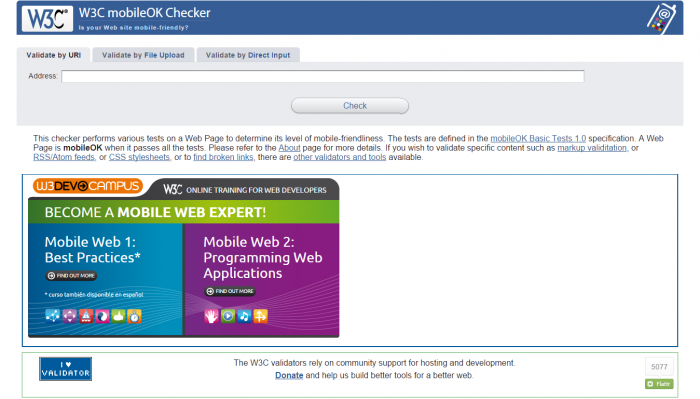
W3C mobileOK Checker

W3C mobileOK CheckerIt is another free of charge tool for testing your website mobile compatibility. All you need is to enter the target URL and press “check”. Then, the site will give you a complete report on whether mobile viewers are getting most favorable viewing capacity on their mobile browsers. The added bonus, W3C mobileOK Checker will highlight any failures it has encountered while testing the performance.

Two Websites with a Live Preview of How Your Site Would Look On A Mobile Browser
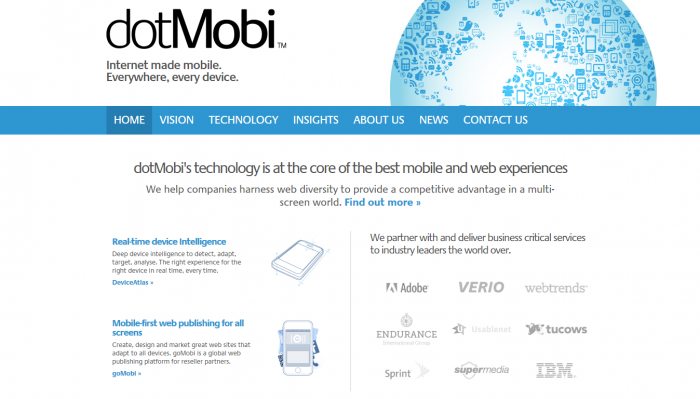
DotMobi Emulator

DotMobi EmulatorSimply, enter the URL of your page–> press “Submit”–> choose the “Skin”–>press “Update and voila to get a live preview of how your site would display on a mobile browser. The availability of only two devices to test against is really not pleasing. Anyway, you can get an inspiration on how would your website can be viewed on both Nokia N70 and Sony K750.

Google Mobilizer

Google MobilizerIt is another free of cost tool.  Just enter the required URL and the site will show you how your page would display on a mobile platform. This preview is really valuable and interesting, but do not expect any other recommendations on how to adjust your page to be compatible with any mobile browsers.

In Brief

To let your business stay under the sunlight, you have to keep up with the technology. Therefore, having a Mobile-friendly website is vital to get your business word reach a wider base of customers.

Filed Under: Freebies Tagged With: mobile website tools, mobile-compatibility-tools

About Rupesh Kumar

Rupesh Kumar founded Best Free Web Resources in 2010 and edits the site. He writes about free web resources, web development and running open AI models locally. Learn more: About BFWR & our editorial standards → · Follow on X (@bestfreewebres) →

Primary Sidebar

⚡ FREE INTERACTIVE TOOLS

Local AI Hardware & VRAM Matrix

Benchmark your PC or Mac for local AI, calculate VRAM requirements, and compare cloud API costs vs local hardware ROI.

🚀 New here? Start with Local LLMs → 💻 Hardware Matrix (79 Devices) → 📚 Local LLM Directory (30 Models) → 🎮 AI GPU Comparison → ⚡ VRAM & KV Cache Calculator → 💰 API Pricing & Break-Even → 🍎 Mac VRAM Unlocker (90% Boost) →
📦 Ollama 🖥️ LM Studio ⚙️ llama.cpp 🚦 vLLM 💬 Open WebUI 🎨 ComfyUI 🔒 Self-Hosted 📊 VRAM Tiers 🎯 Recommender ⚖️ Comparisons

Search

  • Facebook
  • Instagram
  • RSS
  • Twitter
  • YouTube

Footer

Latest Guides

  • SwarmUI in 2026: Setup, Models and When to Use It Instead of ComfyUI
  • Stability Matrix: One Installer for ComfyUI, Forge and InvokeAI
  • Hunyuan3D 2.1 in ComfyUI: Local 3D Generation, VRAM and the Licence Catch
  • Cline With a Local Model: Ollama and LM Studio Setup, Context and Permissions
  • NVIDIA Nemotron 3.5 Locally: Which Model Fits Your GPU
  • OpenClaw vs Hermes Agent: Which Personal AI Agent for a Local Model

AI Tools & Calculators

  • What can I run?
  • VRAM Calculator
  • GGUF Size Calculator
  • Fine-tuning VRAM
  • LoRA Training VRAM
  • Image Generation VRAM
  • Mac VRAM Optimizer

Browse & Compare

  • Models Directory (30 models)
  • Hardware Matrix (79 devices)
  • Image Models
  • Model Licences
  • Comparisons
  • Model Recommender
  • API Pricing & ROI

Guides & Resources

  • Technology
  • Coding
  • Tutorials
  • Freebies
  • Graphics

Copyright © 2026 · Best Free Web Resources · All Rights Reserved.  |  About · Privacy Policy · Contact · AI Tools Hub