
Compass Apps for Android :- With the invention of the smartphone, man doesn’t need maps and compasses. We have all these things built in our pocket sized mini computers. However, to gain access to where we are on these maps, we will need a working internet connection. Hence this can be a problem when we head on over to places which has a poor network coverage.
For example, if we were to go hiking, surely we would not be getting high net speeds to get a comprehensive knowledge of where we are. Hence in this context, it would be keen to have a compass with us and do navigation the old fashioned way.
Recommended:
Top 5 Keylogger Apps for Android
Best Free Movie Apps for Android
Also, having a compass in our smartphone would be really helpful in times of a zombie apocalypse(you never know when that is going to hit).
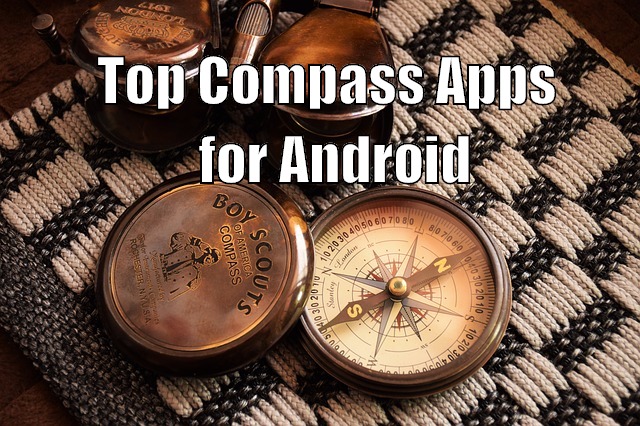
Now, silly talks aside, you might have your own reason to want a handy Compass Application installed on your Android Smartphone. And with millions of such application available for your phone, you might just be a little confused. So, without further ado, let’s get into what are the Top 3 Compass Apps for Android:
Note: The Listed Apps or any other Compass app will not function if your Android Device lacks the Magnetometer Sensor.
Top 3 Compass Apps for Android
Compass 360 Pro
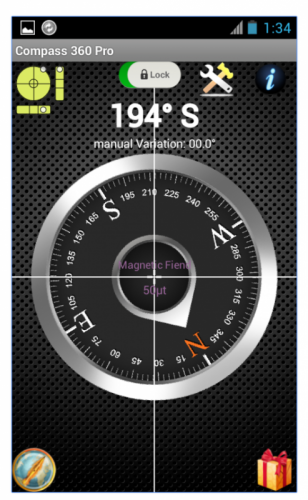
If you consider yourself as a precision freak then Compass 360 Pro would be the ideal compass app for your needs. With its advanced mathematical algorithm, providing a high quality correctional accuracy, the app can be easily argued to be the best in its work.
The application doesn’t require an active internet connection to function properly, but you can turn it on to get your GPS location. Also since the application uses the magnetometer, do remember to steer it clear from any magnetic or electric field to avoid
interferences and get precise results.
Accurate Compass
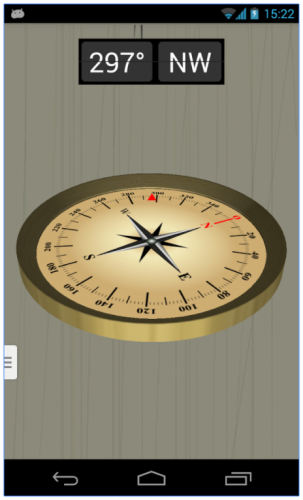
If you want a 3D view of your compass to get a realistic feeling then you will love Accurate Compass. With other compass applications, it is necessary to keep your phone horizontally to the earth’s surface. But such will not be the case with Accurate Compass, and you have the freedom to hold your phone upright if you want.
Now there are two things that you should keep in mind while using the application. Unlike the above entry, Accurate Compass does require an active internet connection and thats why we included in top compass apps for android. It also requires the Magnetometer sensor. So you have to keep it away from magnetic fields or electric fields to avoid disturbance.
3D Compass Plus
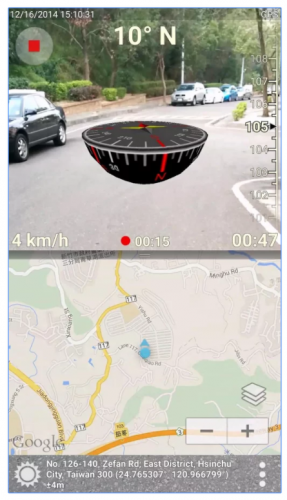
In the above entry for best compass apps for android, you saw an app which shows you a 3D compass. With 3D Compass Plus, you are getting an app which not only provides a 3D like Compass, but also an integrated augmented reality view to go with it.
The Apps boasts a plethora of features. It can show you the app for your area as well as what’s in front by using your camera. You can also make notes if you feel it be necessary; the app provides the functionality. Again, if you are driving then it can show you the map, address, speed and time on the display. You can also take screenshots and add a date and time stamp to it.
Overall the app is ideal if you are looking for an enriching experience while traveling through the city. But don’t consider it for your hiking trips as the app does hog down on battery life.